
Use the Commissions By Employee Report under the Reports Module to track how much commissions should be paid out to each employee and if the sale has been invoiced and paid or is still in receivables.
Steps:
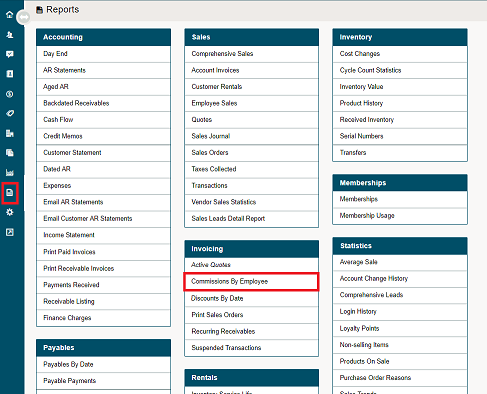
Go to the Reports Module located on the left-hand module. Then click on the Commission by Employee report.
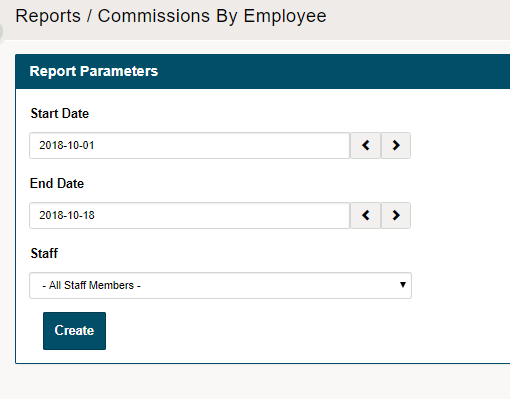
Select the day(s) and the staff member(s) you wish to run the report for and click the create button.
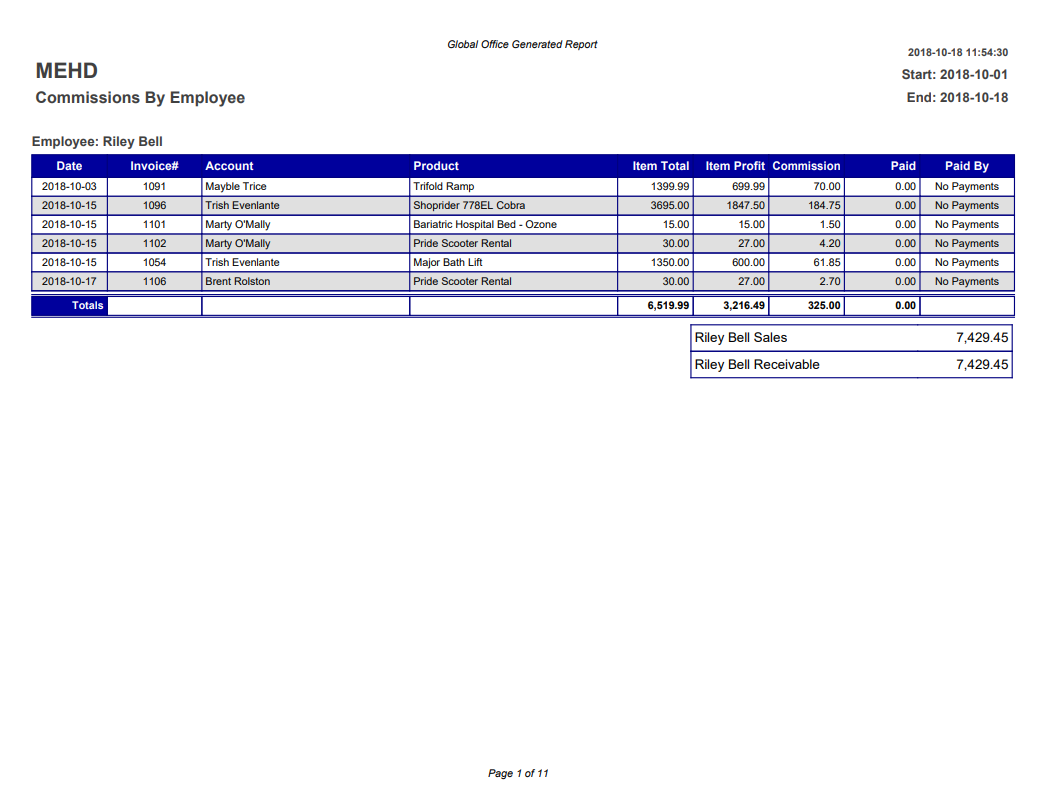
The report will push to PDF for printing purposes. Here you will be able to see the sales broken down per employee with the (dates, invoice #, accounts, products, profits, commissions, and payments) made.
It's important to note if your employee's commissions are to be made at the time of sale or when the payment is received from the customer.
Comments
0 comments
Please sign in to leave a comment.