
Are you in charge of closing out the cash for the day end period and counting the day end float total per till? If so follow along and learn how to properly set up a till float amount along will verifying the amount.
Example:
Paula is in charge of setting up each till for her Vancouver locations grocery store where they have (3) tills.
First thing every morning, Paula gets cash and coins out of the safe and fills each of the three till trays with $200.00, being sure to list all the denominations of coins and bills in the 'Cash-Out List' inside of her GO Business / MEHD system.
At the end of the day, Paula is also in charge of closing out the cash in each till. She is sure to go through all the receipts for the day and list all of the totals for (cash, debit, master card, visa, gift card, etc.). Those totals can be found in the 'Day End' report under the reporting module. She is sure to verify the total amounts against the receipts from the day.
From there she enters the amount of each coin and bill as well as the value of each of the payment types in the Close Out cash screen.
Steps:
First, a till should have been opened for the day, this means that at the start of the day each individual till per location was opened with a float amount that was entered into your GO Business / MEHD system.
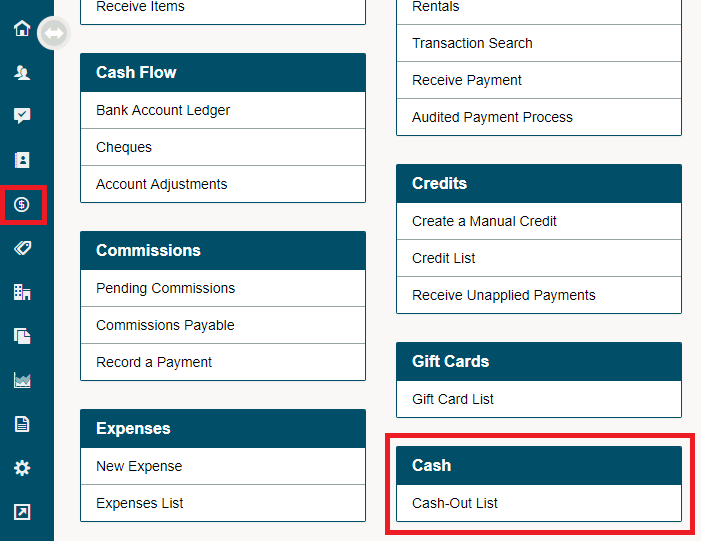
Go to Accounting, then click on the Cash-Out List under the heading of Cash.
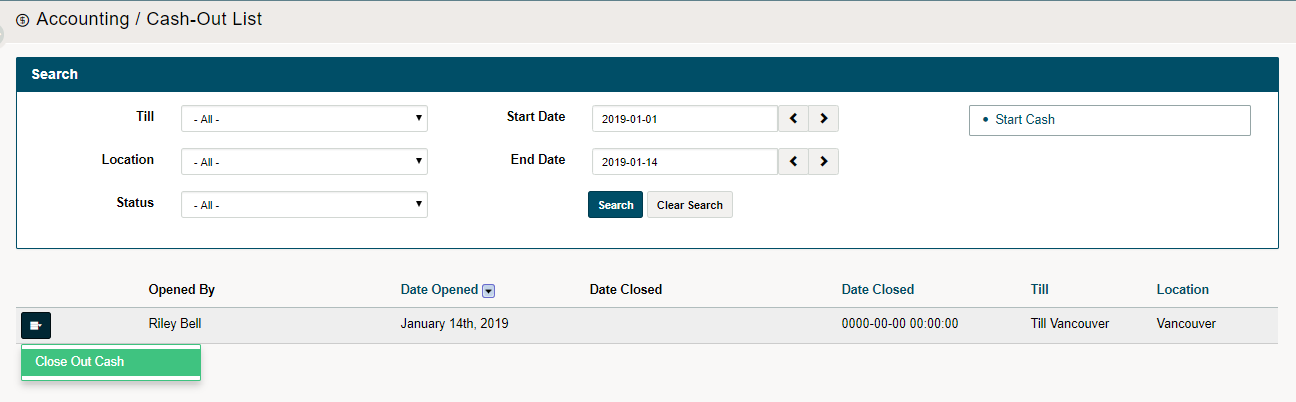
On the new open screen, a list of recent start of day till opens and end of day till closes will be listed.
Find the location, till, and date you wish to close. Use the search bar at the top of the page as needed.
Click on the blue menu button beside the till you wish to close out. A drop-down menu will appear where you will then need to click on Close Out Cash.
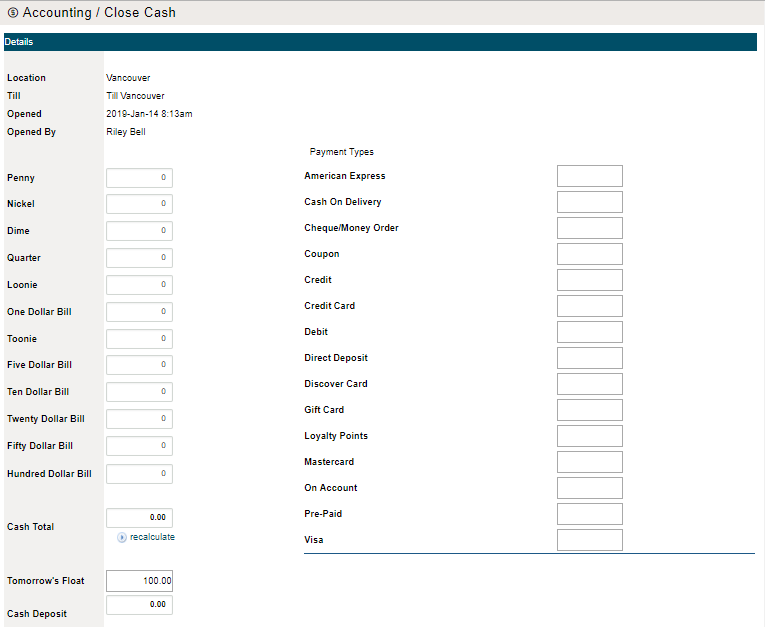
On the new screen, list all the amounts of cash left in the till's float. The cash total will calculate at the bottom left of the screen.
Secondly be sure to print the day end totals (reports) and type in the total value of each of the applicable payment types.
If you would like to set up the next mornings float before you leave be sure to:
- Enter tomorrows float amount
- Enter the amount of cash you will deposit and the value of the cheques you are depositing. This will total into the Bank Deposit amount.
Finish by clicking on the [Close Cash] button.

Comments
0 comments
Article is closed for comments.