
Scanning customers products and notice that they currently do not have a profile in your system? If you're using the Touch Screen POS you can simply type in their name or phone number in the Customer field and pull up any existing customers.
If they don't have a profile, simply add one on the fly!
Client Information Field

- Type in the Customer Name OR Type in the Customer Phone Number
- A list of all customers for the select location will appear
Steps
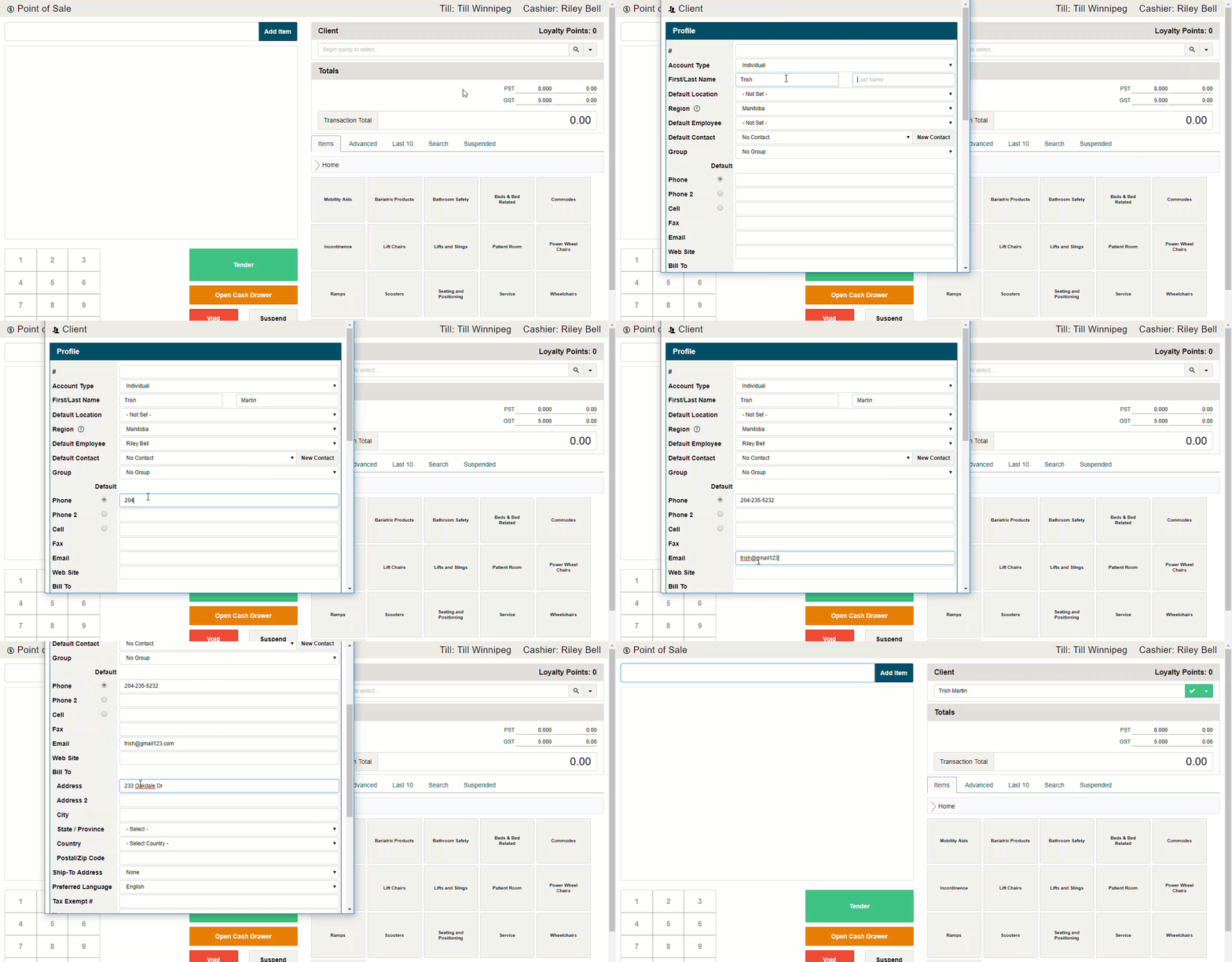
- Click on the (V) button beside the Customer Field, then in the menu click on 'New'
- Add basic information such as the customers first and last name, along with a phone number or email. You will need an email address if the customer would like to receive receipts by email.
- Save the 'New Customers' profile.
Comments
0 comments
Please sign in to leave a comment.