
Trial Types are used to help Salespeople and Service Techs view and keep track of the different types of Trials they may have out in the field.
Example
- Short-Term Trial
- Long-Term Trial
- 1 Week Trial
- 2 Week Trial
- 1 Month Trial
Steps
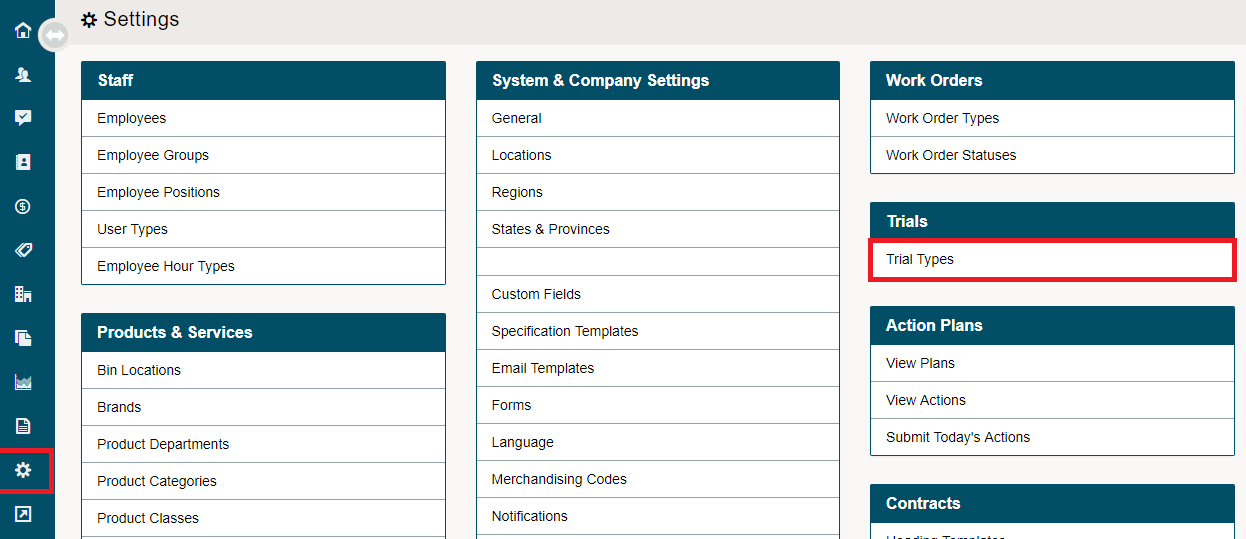
Go to the System Settings module. Click on the Trial Types button under the Trials heading.
Click on the [+ New Type] button.

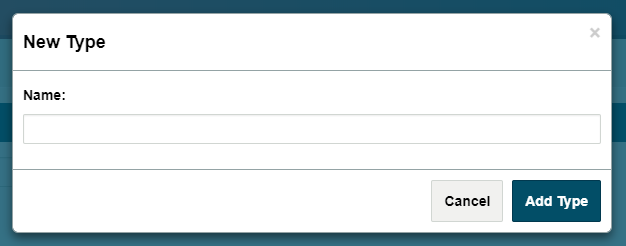
List the name of the Trial Type and click on the [Add Type] button. Your new Trial Type will now be listed in the list of Trial Types and be able to be selected when creating a new trial.
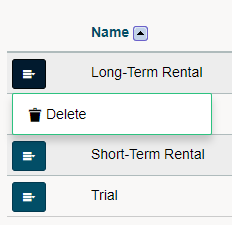
To delete the Trial Type, click on the blue menu button beside the trial name and in the drop-down menu click delete.
Comments
0 comments
Please sign in to leave a comment.