
After a Trial has been completed and the customer has selected which product and specifications they will need, you can then go ahead and transfer the selected Trial to a Quote.
Steps
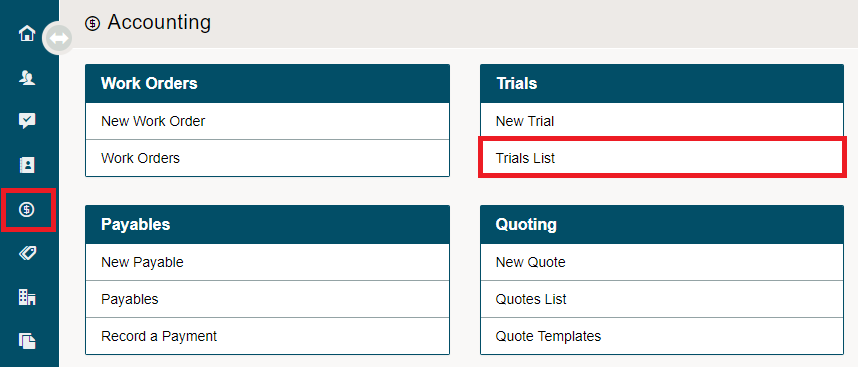
Go to the Accounting module, then click on the Trial List.
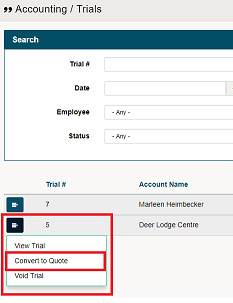
Click on the menu button beside the Trial you would like to transfer to a Quote. In the drop-down menu click on Convert to Quote.
The trial will now be pushed to a New Quote where additional items are able to be added. When saving the Quote will appear in the Quotes List.
Comments
0 comments
Please sign in to leave a comment.