
Want to find out more about the usage of a rental product, or all you currently rented items? Use the 'Rental History Report'.
Actions:
1. Click on the Reports Module.
2. Click on 'Rental History' under the Heading of Rentals.
3. A new window will appear with report parameters including:
- Product (Name or Item #)
- Serial #
- Start Date
- End Date
- Output (PDF or Excel)
4. Open the downloaded document, you will then be able to see the history of the rental item, with the ability to further manipulated the data if accessed through Microsoft Excel.
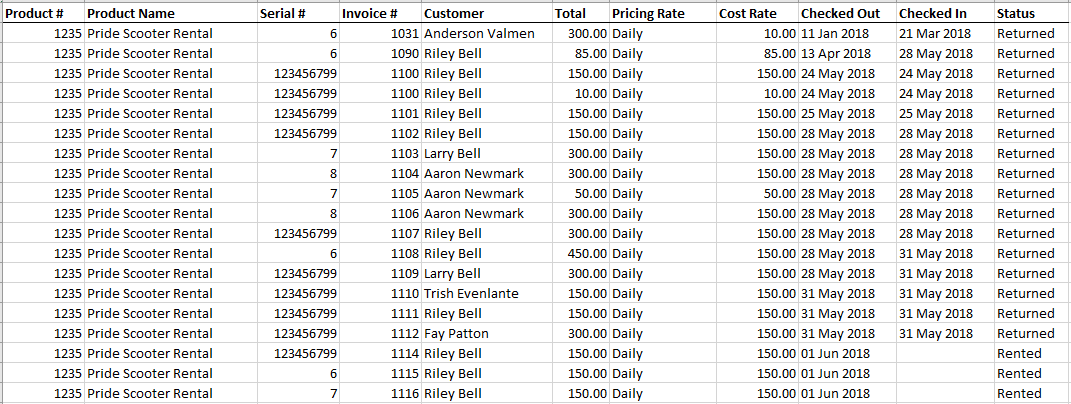
If you want to see the history of all rental items, do not fill out the 'product name' or 'serial #'.
Comments
0 comments
Please sign in to leave a comment.