
The staff member will auto-populate along with the commissionable payment amounts. If you would like to pay all of the cheques out at once be sure to click on the first commissionable payment and then hold shift and click on the last amount.
This will highlight all commissionable payment amounts in grey and add them to the Amount field.
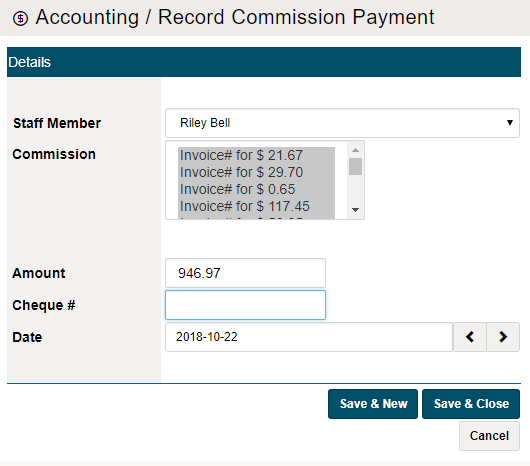
Be sure to place a reference of the Cheque # and the Date the commissionable payment was paid. Finish by clicking on [Save & New] or [Save & Close]. The commissions will then be paid by the cheque to the employee.
Comments
0 comments
Please sign in to leave a comment.