
Work Order Types are a great way to break down the types of Work Orders your organization completes when reporting.
Example
- Bathroom Renovation
- Ramp Installation
- Lift Installation
- Bed Installation
- Evaluation
- Delivery/Pick Up
Steps
1. Go to the Settings Module.
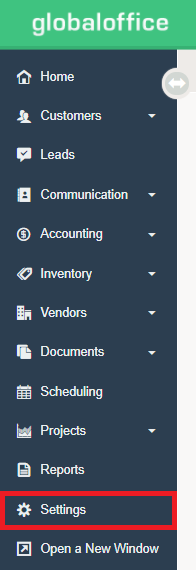
2. Under the Work Orders Heading, choose Work Order Types.
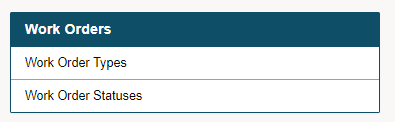
3. Choose (+New Type).
4. Name the Type of Work Order and finish by clicking Add Type.
Comments
0 comments
Please sign in to leave a comment.