
In MEHD, customers often have coverage and insurance companies that will cover part or all of their costs incurred.
It's important to set up all the coverage and insurance companies that you deal with inside of your MEHD system as businesses.
Learn how to create a coverage provider or insurance company below.
Actions:
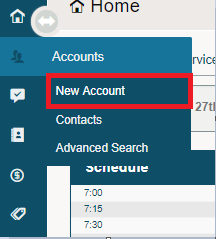
1. Hover over the Customer/Account Module, then click on New Customer/Account.
2. Once inside the new profile, select the correct 'Customer Type' - Business.
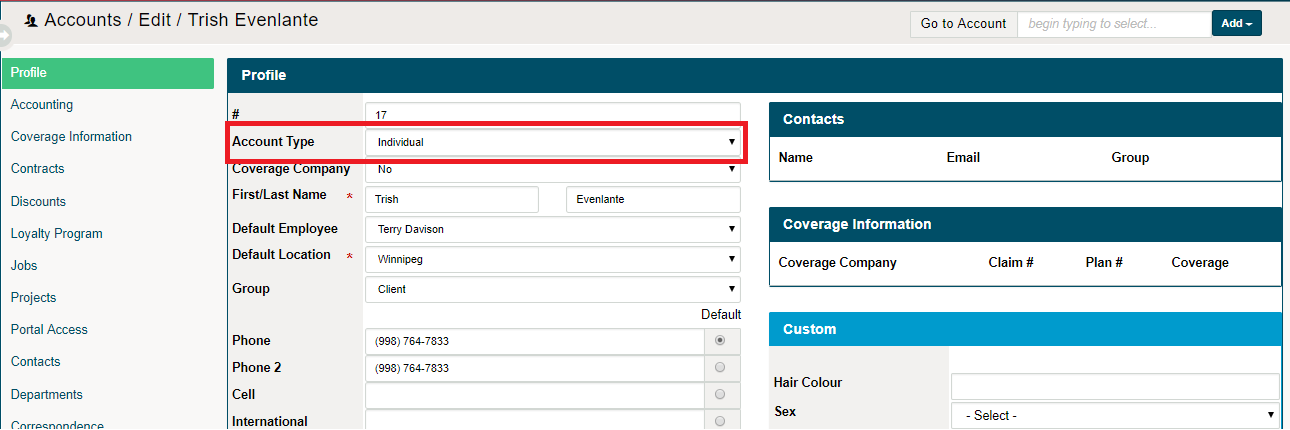
3. Be sure to change the Coverage Company field to Yes

4. Fill out the rest of the information needed to complete the Coverage/Insurance Companies profile. Such information as additional contacts of the coverage provider, phone numbers, and email address are critical pieces of information.
5. Finish saving the profile by clicking on 'Save' in the bottom right-hand corner.
Do you deal with multiple coverage adjusters at a company or multiple contacts?
Comments
0 comments
Please sign in to leave a comment.