
Multiple Employees may be added to a project. Adding employees to a project allows those set employees to update tickets, hours, and more inside of the project.
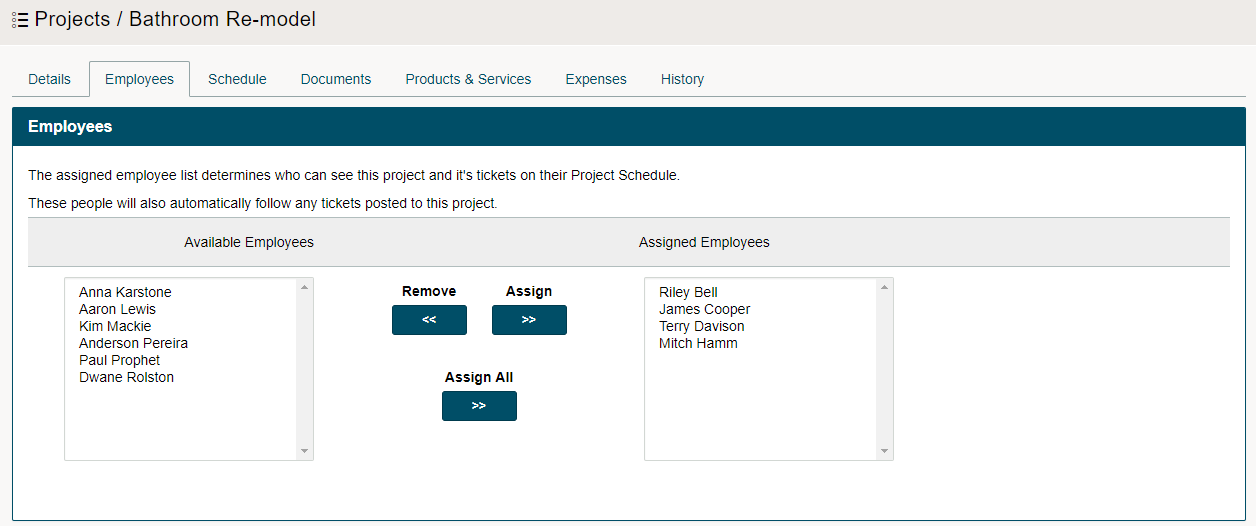
Steps:
Open the project. Then click on the employee's tab
Highlight the names of the employees that will be working on the project and commit them by clicking on the (>>) button.
To select multiple employees at the same time hold down the (Ctrl) button.
Be sure to save the project thereafter.
Comments
0 comments
Please sign in to leave a comment.