
Need to walk around the showroom floor with a customer and add products to their 'cart' as you walk and talk? Go right ahead with MEHD / GO Business!
When they are ready to pay for their transaction simply suspend the transaction and pay for it at the front POS Till.
This is called a 'Suspended Transaction Process'. You might have seen this process in other places such as the Apple Store.
Overview
Steps - Suspending a Transaction
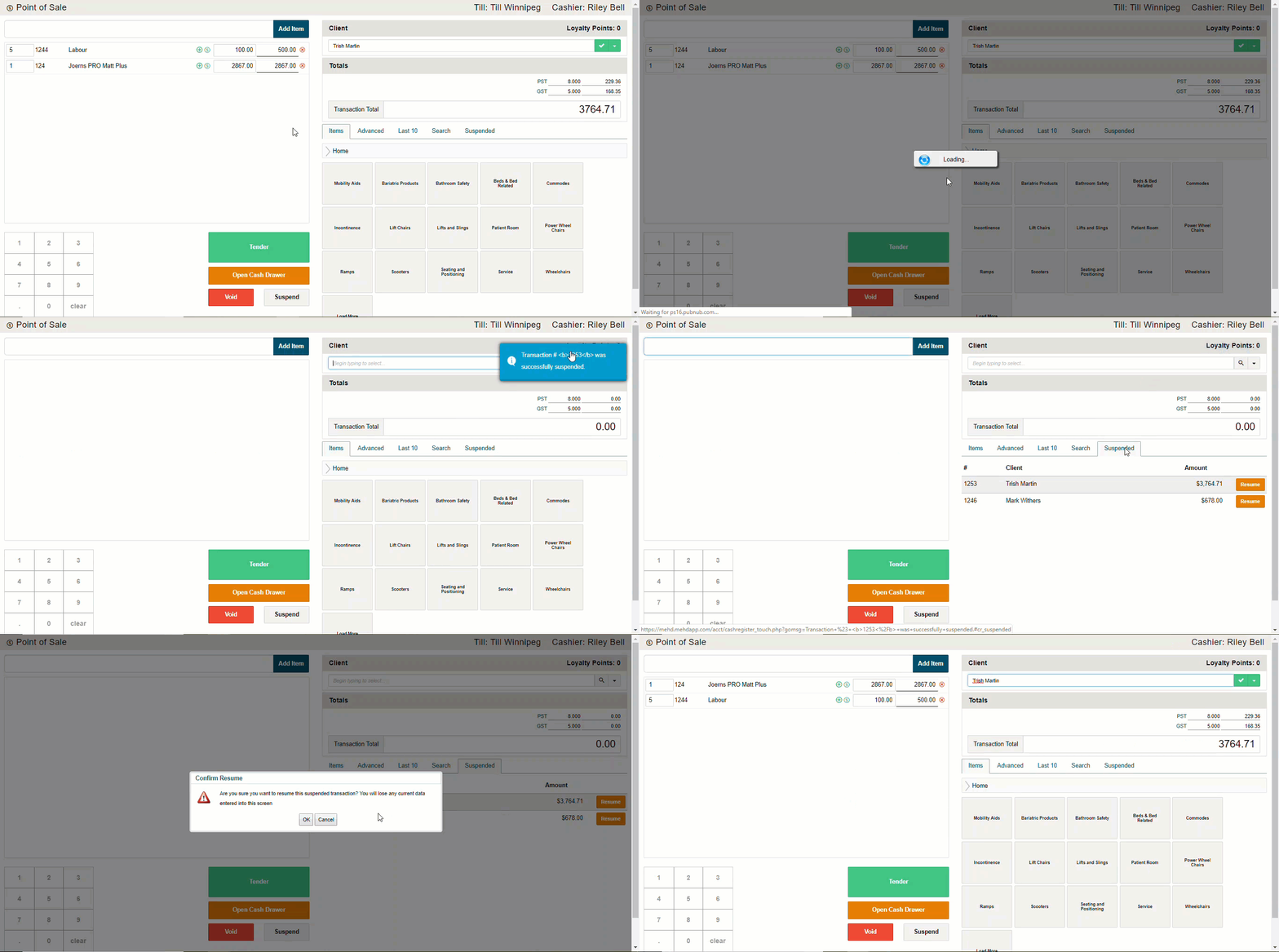
- Click on the 'Suspend' button at the bottom of the POS
- A pop-up will appear - 'Are you sure you want to suspend this transaction' - select 'OK'
- The transaction will now be 'Suspended' and listed under the 'Suspended Tab' on the right-hand side of the POS Screen
Steps - Resuming a Suspending a Transaction
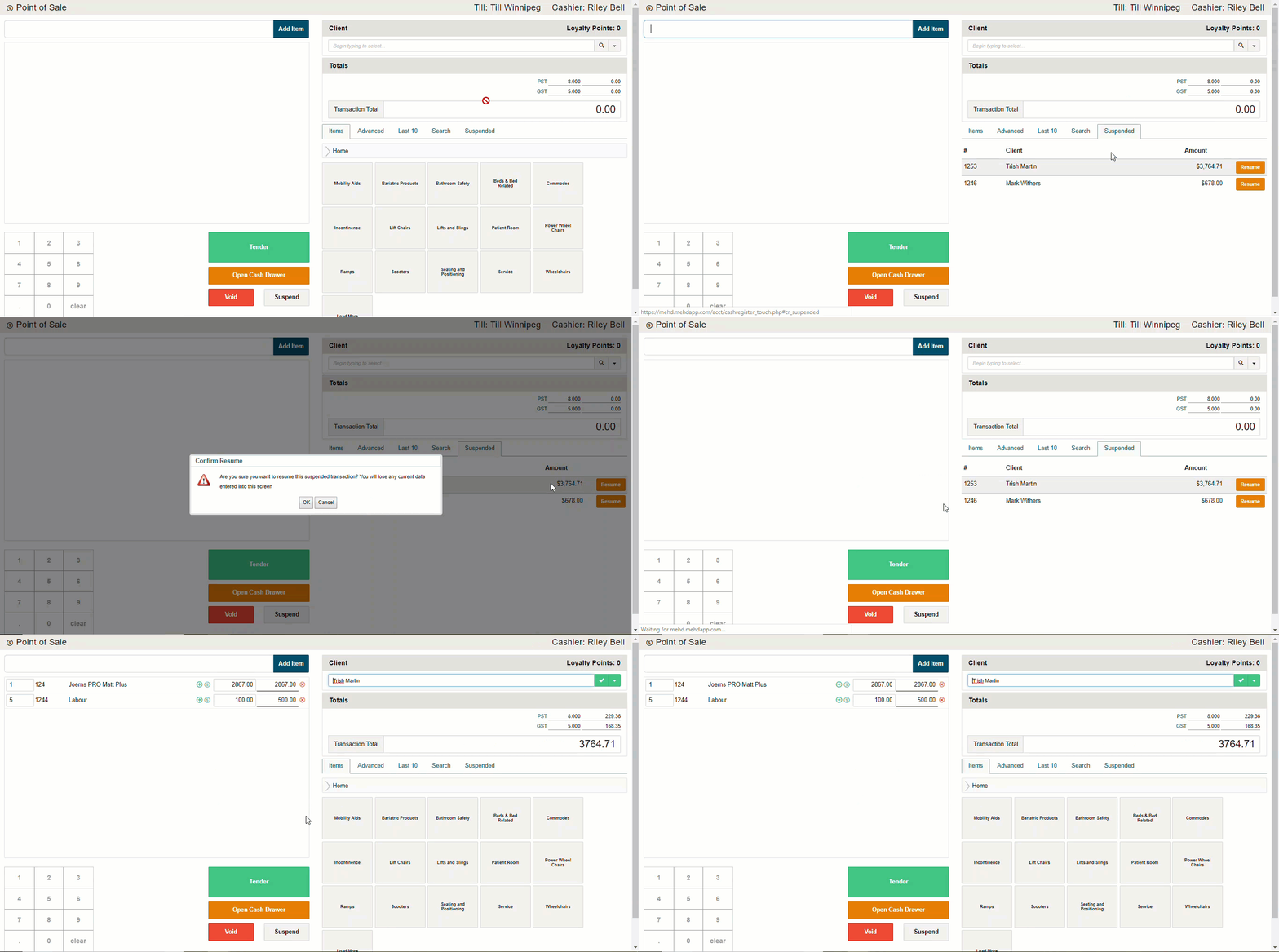
- Click on the 'Suspended Tab' on the right-hand side of the POS Screen. A list of all currently suspended transactions will appear
- Click on the 'Resume' button. The customer's information along with the products and quantities will appear.
- You can then finish the transaction by tendering the cash and taking payment
Comments
0 comments
Please sign in to leave a comment.