
Not all payments made, go through the processing and return as processes such as non-sufficient fund cheques.
In this case, you may need to correct or delete a payment made to your GO Business / MEHD system.
When a payment is deleted in your system, it stays with the customer's transaction with the payment type as 'declined'.
Follow the steps below to learn how to delete a payment.
Steps
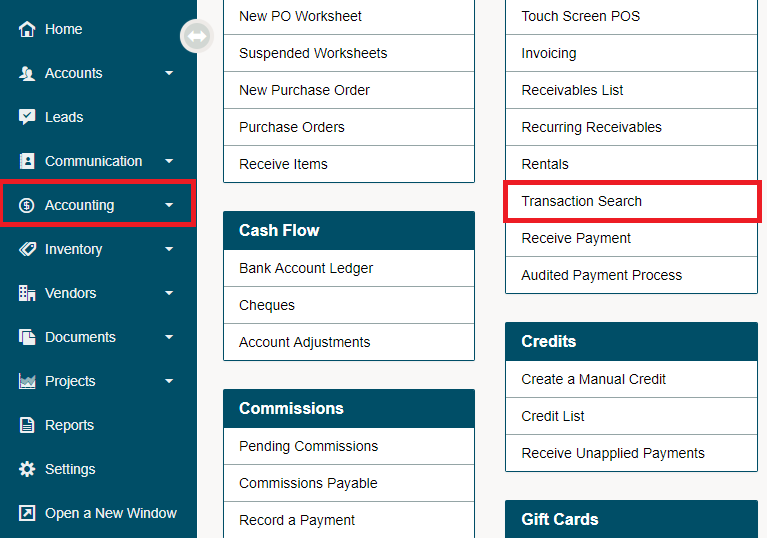
Under the Accounting Module, select the Transaction Search.
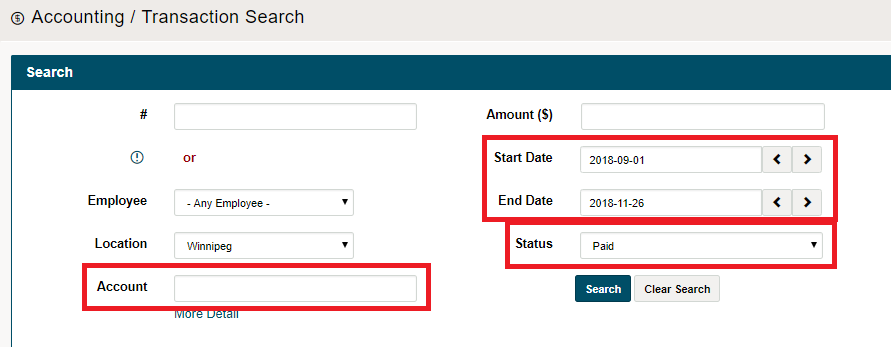
Type in the invoice number, or the Customers name and click on the Search button.
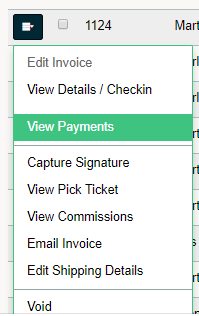
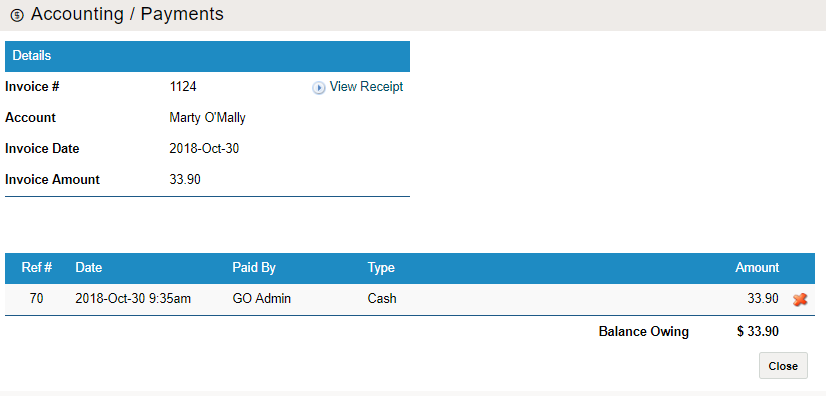
Click the blue menu button beside the transaction, then in the drop-down click on view payments. You will then see a new window with payments.
Hover over the reference number and then click on 'delete'. The payment will still show on the payment screen with a large (x) beside the payment. You will also notice that the amount of the payment will be re-applied back to the transaction.
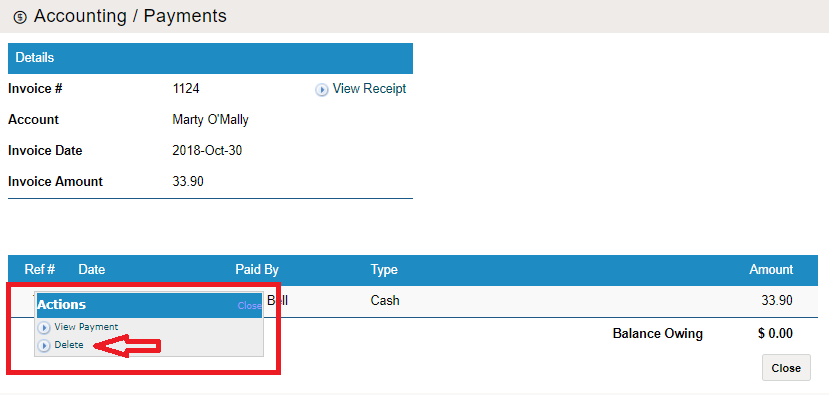
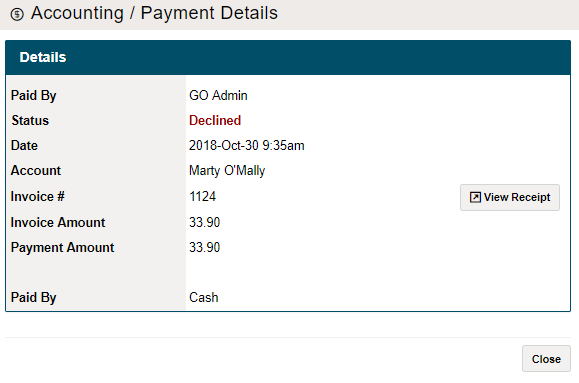
To view that the payment has been declined, once again hover over the reference number of the transaction. A new window will appear with the payment details. You will see that the status of the payment is now set to 'Declined'.
Comments
0 comments
Please sign in to leave a comment.