
Document Categories allow users to set up a hierarchy within a folder structure.

Steps
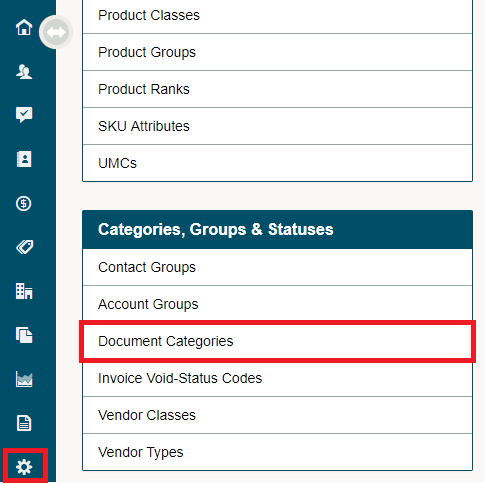
Go to the Setting Module in the left-hand menu, then select Document Categories under the Categories, Groups & Statuses heading.
Click the [+ New Category] button to add a new folder/category.

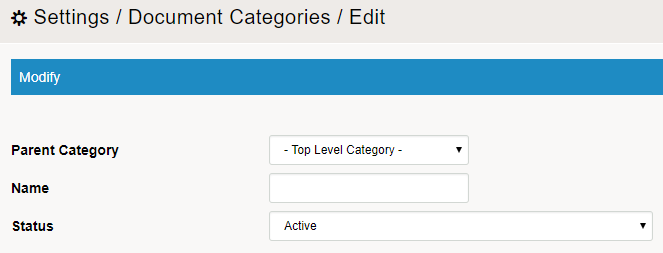
Type in the name of the folder/category along with the Status. If the folder/category is to sit further down the hierarchy structure, select a Parent Category. This is the folder directly above the folder you are creating. Therefore if you were to click on the Parent Category folder you would see the folder you are creating.
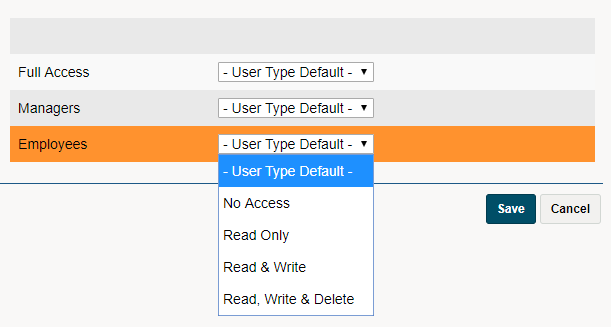
Modify each user access if needed. The users access to the folder structure will default to their User Types Default access if nothing is selected. If the user has No Access they will not be able to see the folder structure, the files in the folder structure, or those that it is the Parent Category to.
You can now see any newly created Document Categories in the Documents Module with the attached User Type Access.
To learn more about Document click here
Comments
0 comments
Please sign in to leave a comment.