
Vendor Types are used to sort vendors for reporting and search purposes. Having multiple products that your Retail or Service based business provides to suppliers, it is best practice to sort the vendors into Vendor Types to keep track of the multiple vendors within a category that you might be purchasing from.
Example
Home Depot sources products from thousands of Vendors. They might use the following to sort their vendors by type:
- Bathroom
- Kitchens
- Decks & Fencing
- Roofing
- Paint
Steps
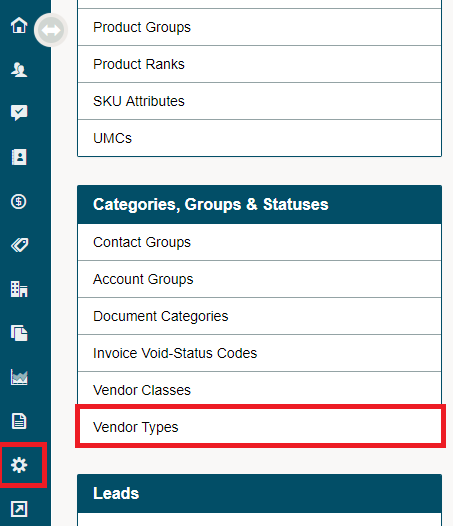
Go to the System Settings module, followed by clicking on the Vendor Types button under the Categories, Groups & Statuses heading.
Click on the [+ New Vendor Type] button.

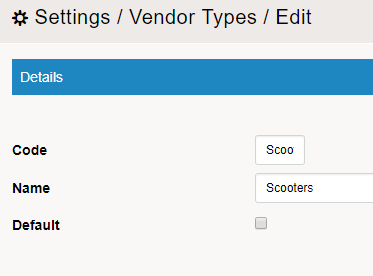
Type in the code of the Vendor Type, the Name of the Vendor Type, and click the checkbox if you would like to set all New Vendors to default to this Vendor Type. Finish by clicking on the [Save] button.
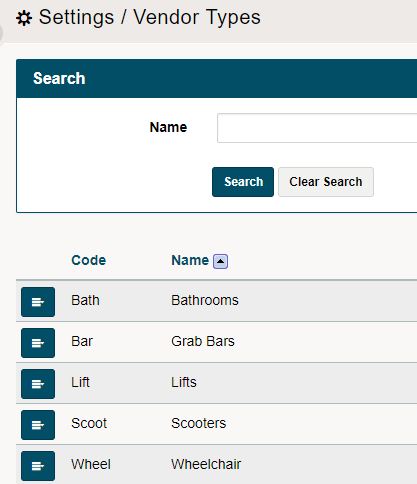
To edit or delete the Vendor Type, click on the blue menu button beside the Vendor Type and in the drop-down select edit or delete.
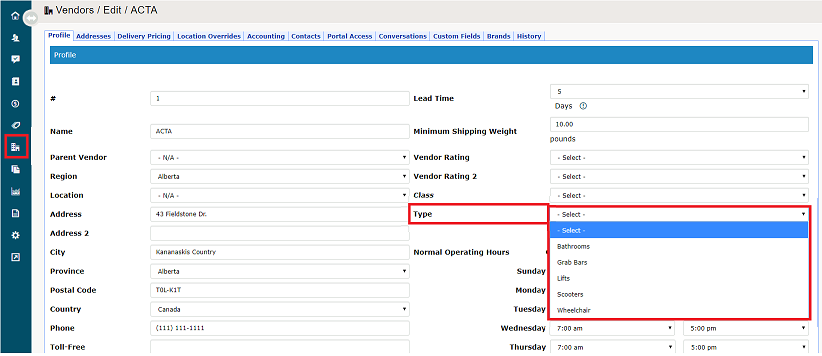
Inside of a vendors profile, click on the drop-down list beside the field named Type to select the Vendor Type.
Comments
0 comments
Please sign in to leave a comment.