
Customer Groups are a great way to group your customers for purchasing or reporting purposes. By adding a customer group to your customers you can find in-depth analytics on purchasing habits of these customers by using Reports.
If you're using customer groups for purchasing purposes, allow those customers in differing groups receive different prices on products.
Customer Group Example:
- By Product: Roofing, Siding, Insulation, Window & Door
- By Purchase Level: Gold, Silver, Bronze
Actions:
1. Choose 
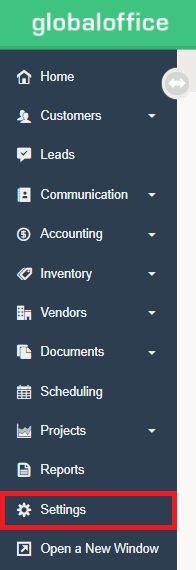
2. Under  choose Customer Groups.
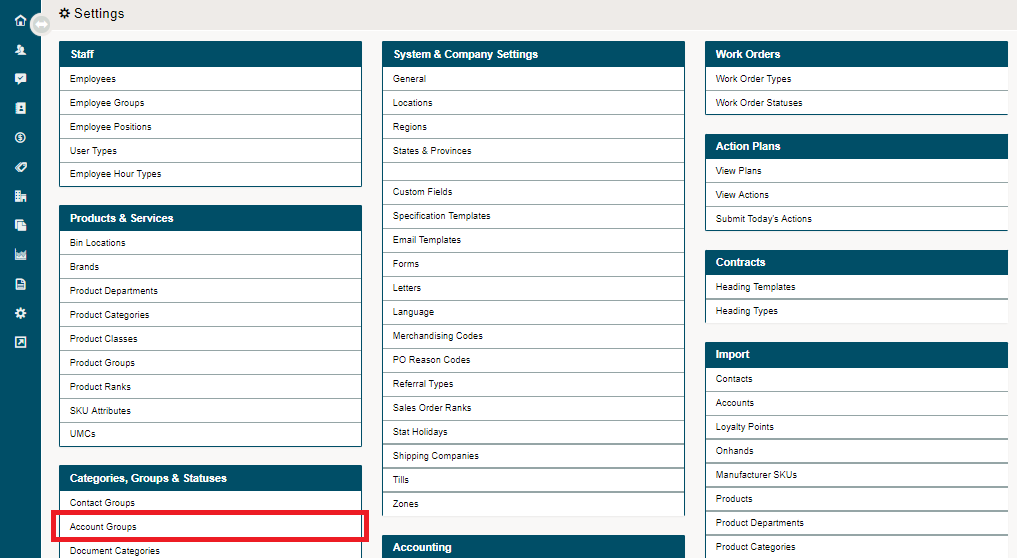
3. Select  from the top right corner of the page.

4. Set up the following:
a) ID Number of the Customer Group (use any number you like.)
b) Name of the Customer Group - examples could be "Buying Group ABC," "Occupational Therapist, " or "First Responders."
c) Status of the Customer Group (Active / Inactive)

5) Choose  .
.
Comments
0 comments
Please sign in to leave a comment.