
A product group is a high-level grouping of products. Product groups enable you to categorize products based on a business model.
When you define an individual product you can optionally associate a product with a product group and report on the product groups.
Product Groups main function is that they are used for mix and match pricing when you create a kit and set it to mix and match. Only products in similar groups will be able to be selected.
Examples
Departments
- Wheelchairs
Categories
- Power Wheelchairs
- Manual Wheelchairs
- Tilt Wheelchairs
Groups
- Manual Self-Propelled
- Manual Attendant-Propelled
In turn, product groups can be seen as a way to further break down categories, but can also be created as categories themselves.
Steps
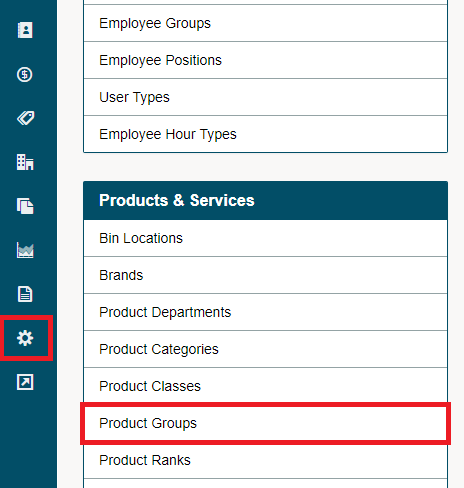
Go to the System Settings module in the left-hand menu then click on Product Groups.
Add a [+ New Group] and fill out the fields associated with the group.

When creating a Kit you have the option to [+ Add Product Group], this will add all products in a group.
Comments
0 comments
Please sign in to leave a comment.