
Example:
A 'Customer or Account' is anyone that purchases off of you, or uses your services. These can be set as Businesses and Individuals.
To change the language your company uses for 'Customers or Accounts' navigate to Language Setting.
If you were an electrical supply company think of your customer/account as a business or individual that purchases your product or uses your services such as:
Businesses
- Bowden Electrical
- CRL Lighting
- Crown Cabling Systems
- Manitoba Government
Individuals
- Walk-in Customer
- Mrs. Wendy Mintos
- Mr. Reg Weight
Actions:
1. Choose Accounts / Customers, and from the next screen, choose New Customer/Account.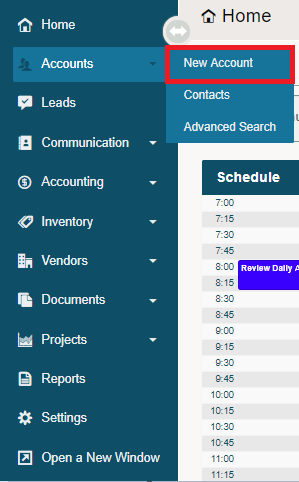
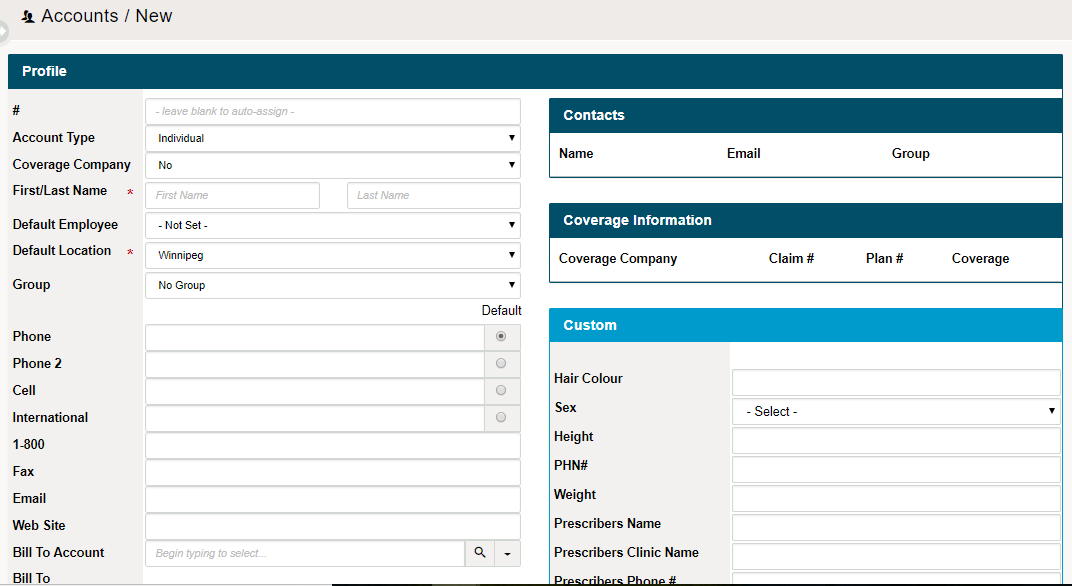
2. Fill out the information as required. Click the blue (Apply Changes) button on the bottom right-hand corner when finished filling out as many fields as possible.
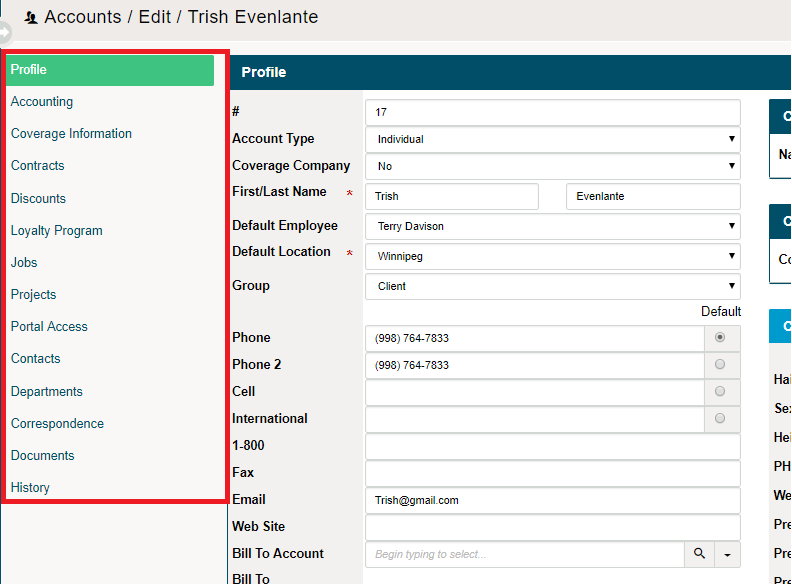
3. More information will populate tabs under the customer's profile. Simply click on the tab you wish to add more information under and fill out the required information.
5. Click on the (Save) button in the bottom right-hand corner.
Comments
0 comments
Article is closed for comments.