
Sometimes you need to adjust the details of the 'Bill To' address as the final receipt may be paid by another source or the 'Ship To' address as you are drop shipping to a location
Overview
Locations
- Quotes
- Sales Orders
- Work Orders
- Invoices
- Purchase Orders
How to Change Bill To Address
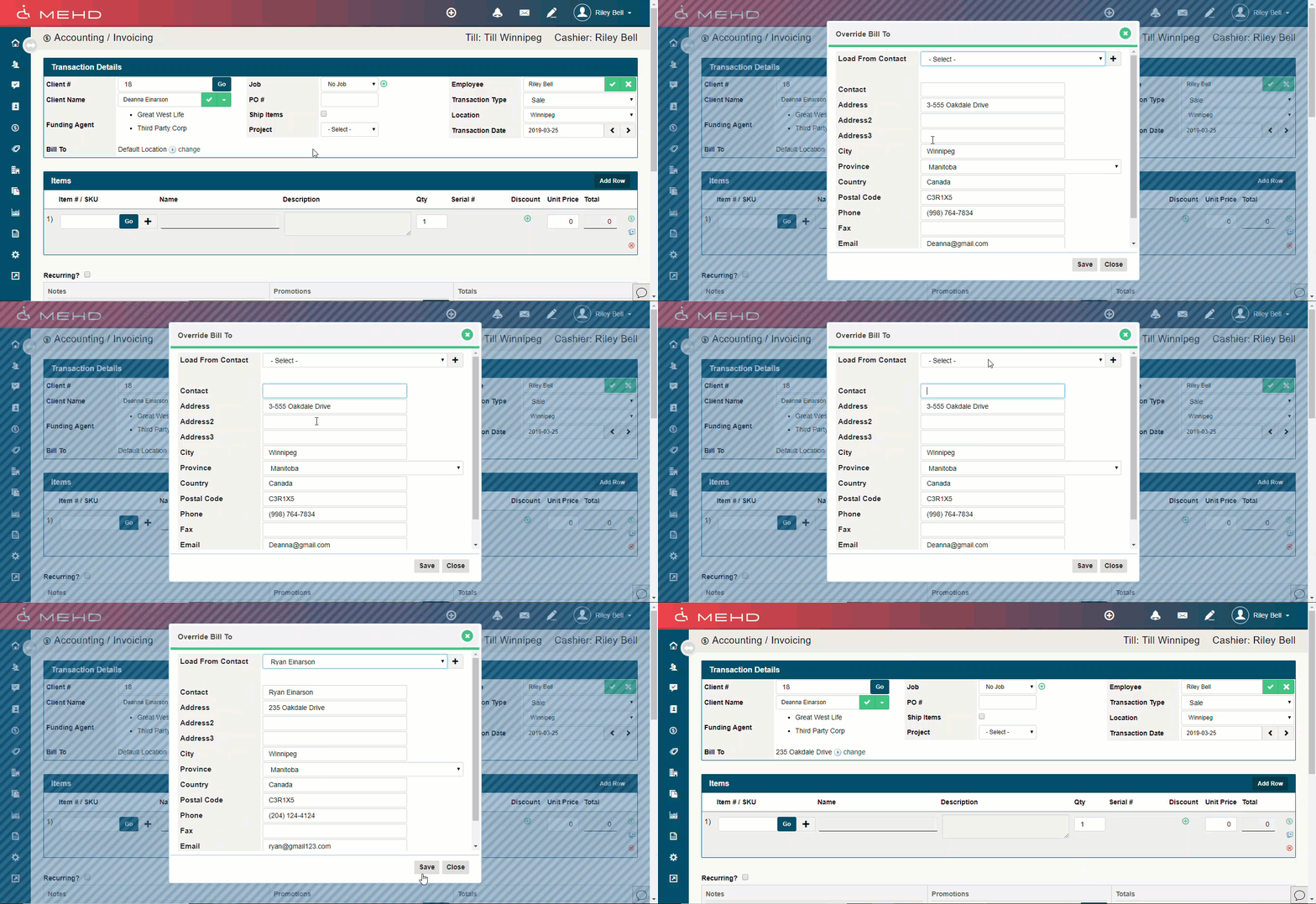
Open the (Quote, Sales Order, Work Order, Invoice, Purchase Order) you would like to change the 'Bill To' address for.
In the top section of 'Transaction Details' click on the 'Bill To - Change' button. A new window with the 'Bill To' information will appear. Select from one of the contacts addresses on the account or type in the address and information.
How to Change Ship To Address
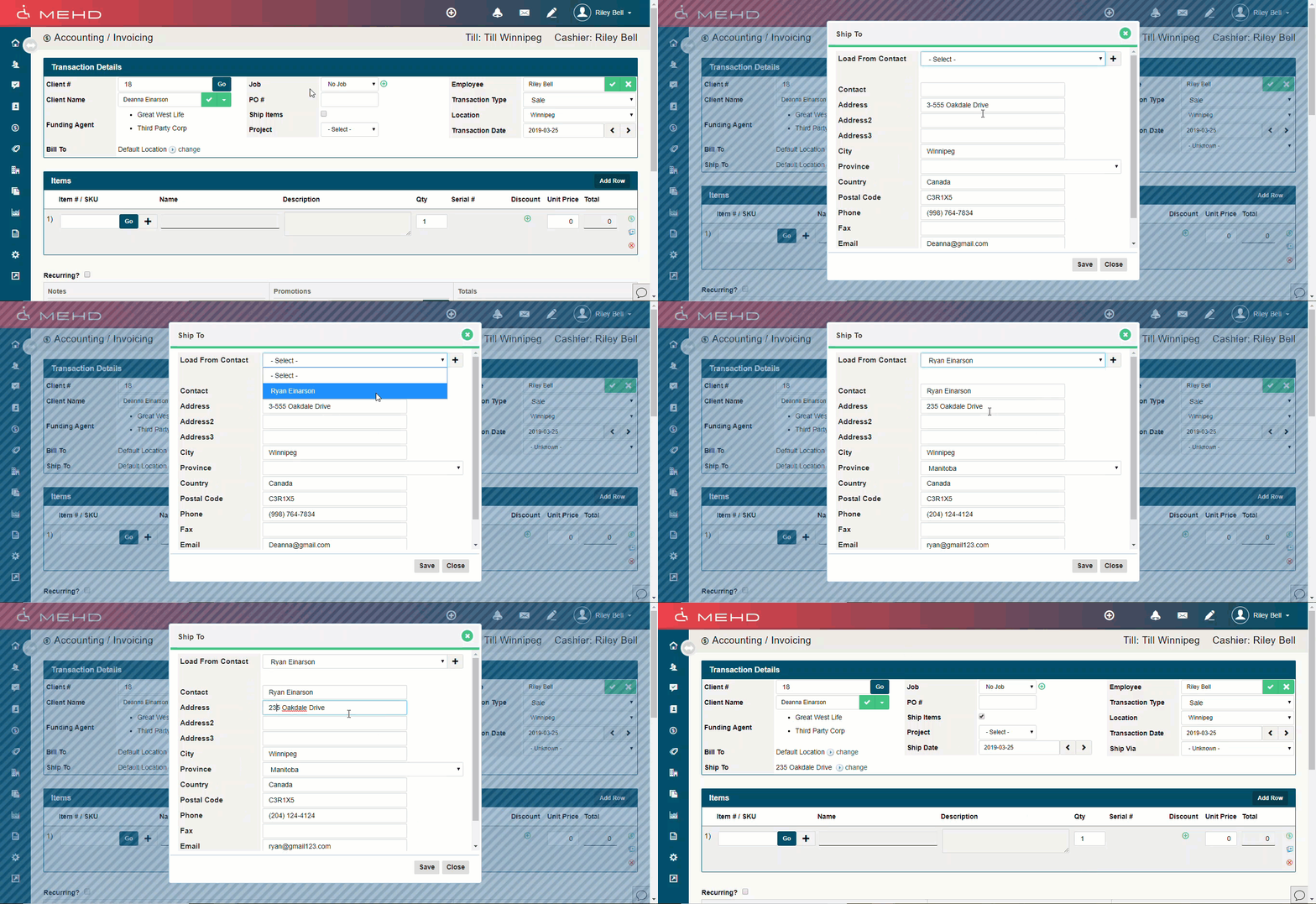
Open the (Quote, Sales Order, Work Order, Invoice, Purchase Order) you would like to change the 'Ship To' address for.
In the top section of 'Transaction Details' click on the 'Ship To - Change' button. A new window with the 'Ship To' information will appear. Select from one of the contacts addresses on the account or type in the address and information.
A new 'Ship Date' will appear along with a 'Ship Via' field - adjust the fields.
Adjusting the Shipping Date
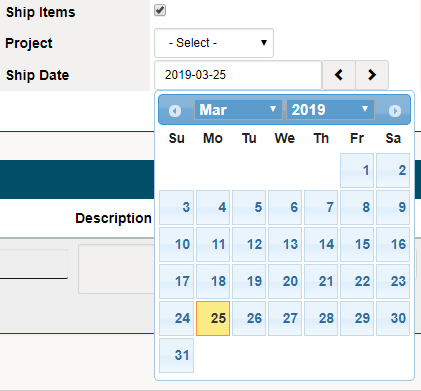
Click on the date that appears in the 'Ship Date' field. A calendar will appear where you can adjust the date by clicking on the day you will be shipping items.
Adjusting the Ship Via Field
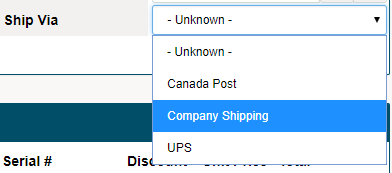
From the drop-down select the shipping company that will deliver the products.
Comments
0 comments
Please sign in to leave a comment.