
Within Projects, Tickets can be assigned to represent specific tasks within the project.
Tickets need to have categories.
Examples
To define all your ticket categories:
For example, a computer repair company may want to categorize PC repairs separate from Apple Mac repairs, since sometimes technicians specialize in one vs. the other.
Sales Projects
- Trials
- Quote
- Sales Order
- Invoice
- Purchase Order
- Rental
- Contract
In-house Service Projects
- Repair
- Inventory
- New Build
Onsite Service Projects
- Site Preparation
- Demolition
- Installation
- Configuration
- Clean-Up
Steps
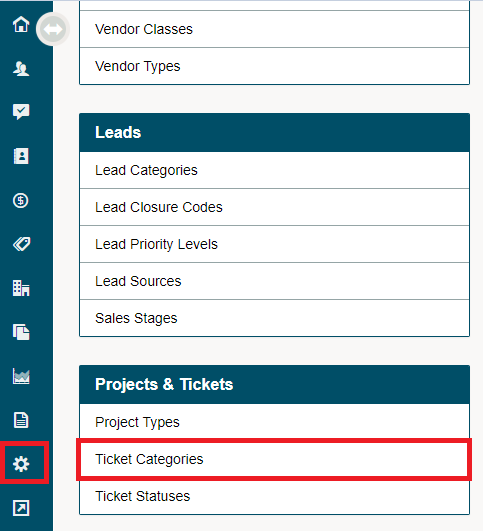
Go to the System Settings, under the Projects & Tickets Heading, choose Ticket Categories.
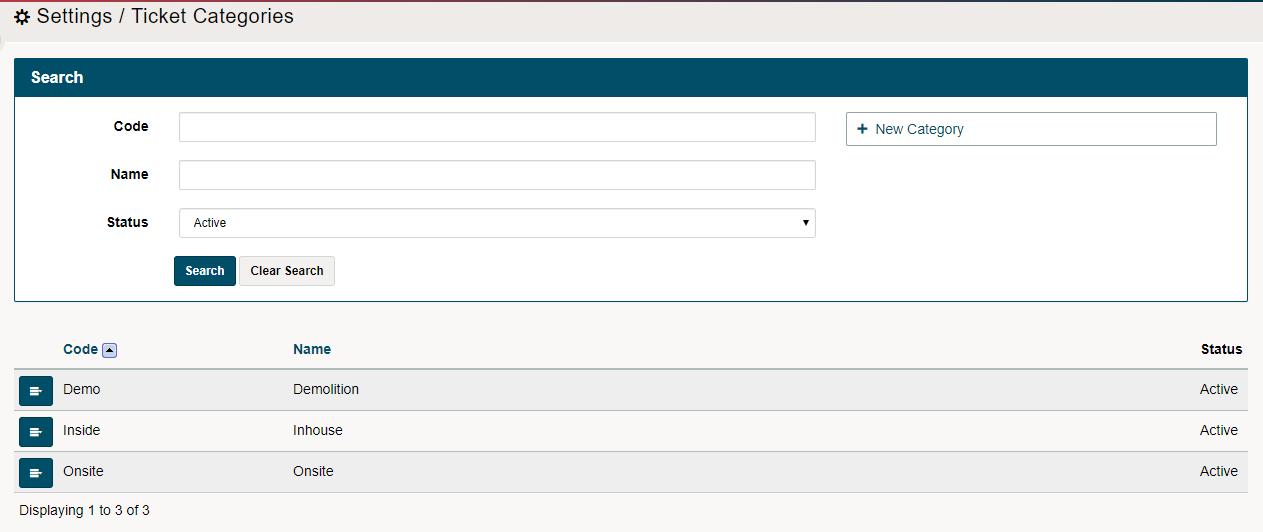
Choose New Category

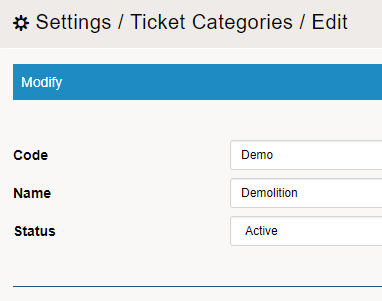
Enter a Code and Name for the Category. Choose Save.
Repeat as necessary until you have added all the Ticket Categories you need.
Comments
0 comments
Please sign in to leave a comment.