
Before you can create projects for your team to work on, you need to define the different types of projects you might create.
Examples
For example, a Home Renovation Company might create a project type called Bathroom Renovation, Kitchen Renovation, Living Room Renovation, and Home Renovation.
Each project could fall under one of these categories. This allows users to later set up the tickets and tasks that should fall under the select project type. It also allows users to filter projects by type.
Steps
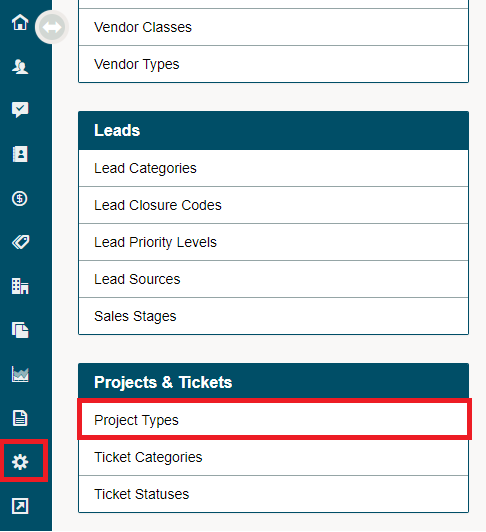
Go to the System Settings module, under the Projects & Tickets Heading, choose Project Types.
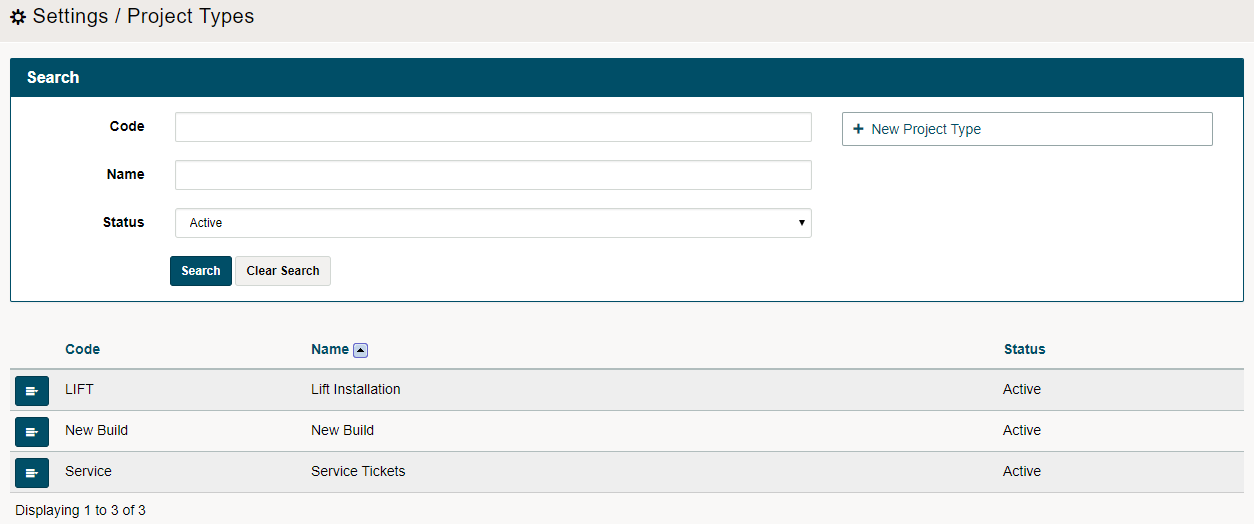
Choose [+New Project Type].

Complete the Code and Name Fields. Then, choose the [Save] button on the right-hand side.

You will now be able to see a list of your project types.
Comments
0 comments
Please sign in to leave a comment.