
Contacts are people that can be connected to businesses or customers.
Example:
If you deal with set groups of contacts, for example:
- Physiotherapists
- Chiropractors
- Massage Therapists
- Caregivers
- Family Members
These are examples of contacts for a Customer be it a Business or Individual.
Actions:
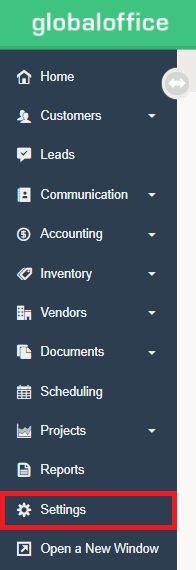
1. Choose 'Settings'
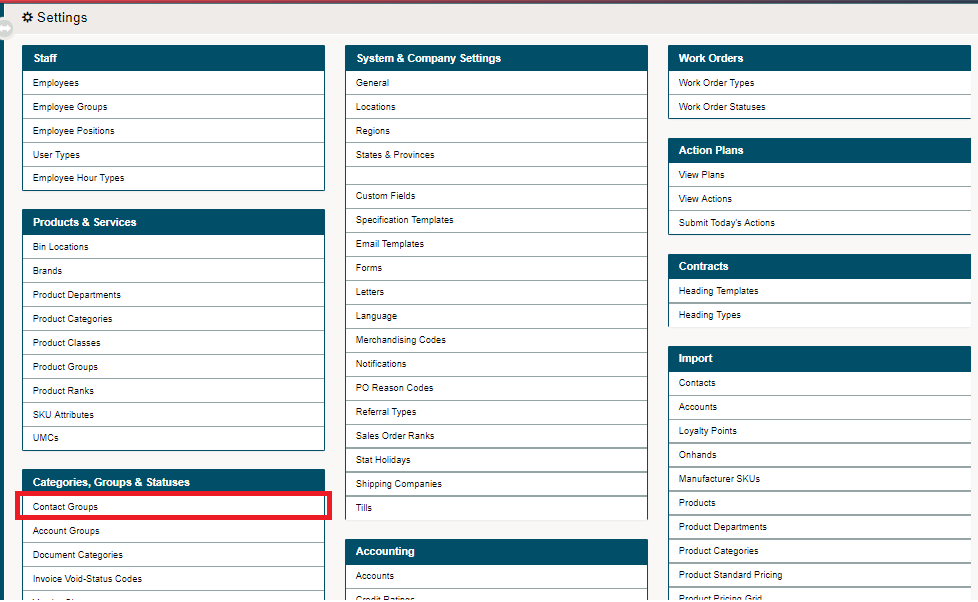
2. Select 'Contact Groups'.
3. Select  from the top right corner of the page.

4. Set up the following:
- Name of the Contact Group - examples could be "Physiotherapist", "Occupational Therapist, ", "Caregiver", etc.
- Status of the Customer Group (Active / Inactive)
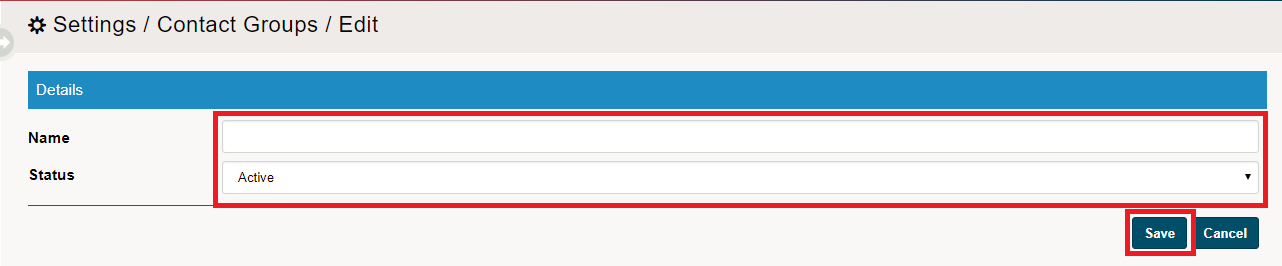
5. Choose  .
.
Comments
0 comments
Please sign in to leave a comment.