
If you have days throughout the year that you retail store will not be open, and your staff has off as a holiday be sure to list them as a Stat Holiday in system settings.
This will ensure that no employee is able to be scheduled for work on the Stat Holiday and that all employees calendars show it as being off.
Steps:
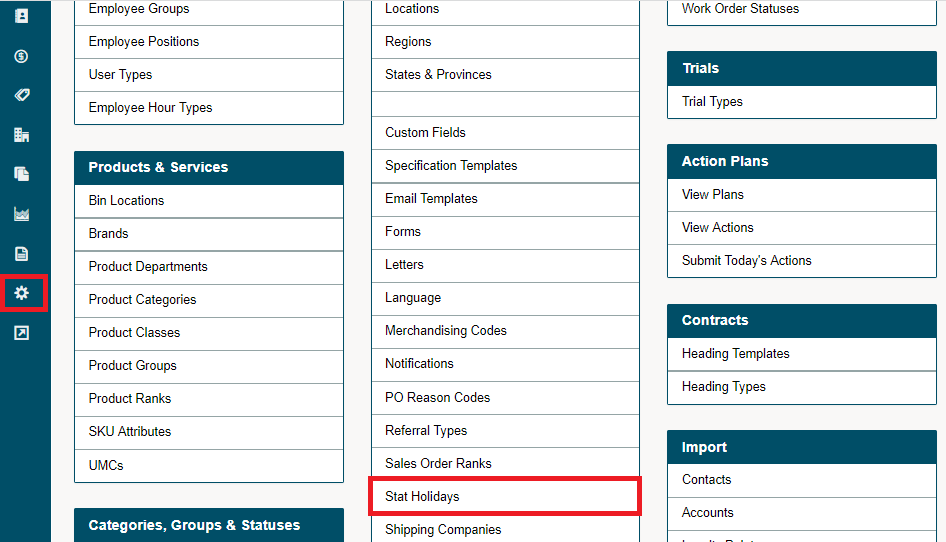
Go to the Settings Module in the left-hand menu followed by clicking on the Stat Holidays button.
Click on the + New Stat Holiday button.

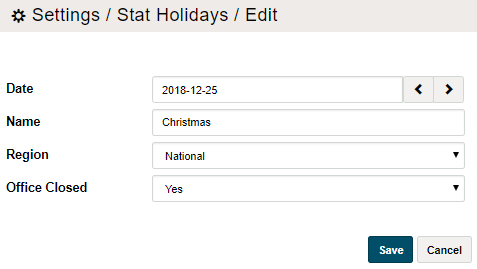
Fill out the applicable information and finish by clicking on save.
Comments
0 comments
Please sign in to leave a comment.