
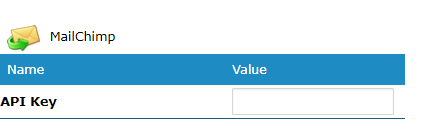
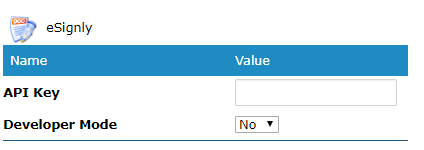
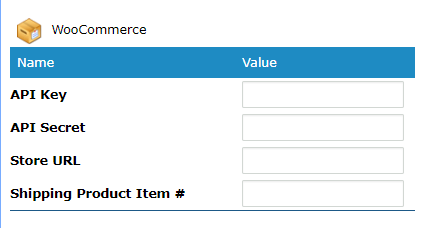
Integrate with other software systems through the integrations page. Use API keys to directly attach to (MailChimp, eSignly, and WooCommerce).
Before setting up any of the following integrations you will need to create an account for the integrated software. When an account is created, use the API Key in your account to directly attach to your GO Business / MEHD account.
Steps:
Go to the Settings Modules, followed by the General button under System & Company Settings.
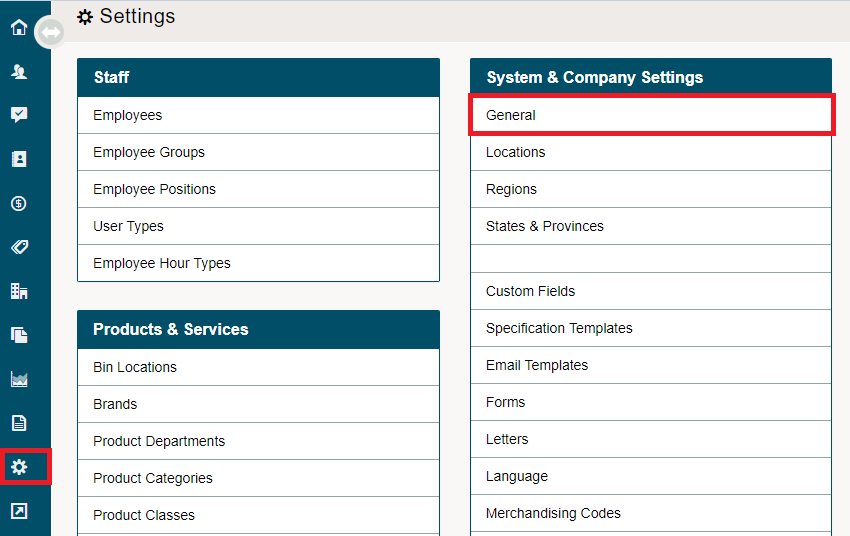
Click on the integrations tab

MailChimp
eSignly
WooCommerce
QuickBooks Online

Comments
0 comments
Please sign in to leave a comment.