
Sales Orders may have a Purchase Order attached to them, may have a partial payment applied against them for select products or as a portion of the total invoice amount.
Steps
Go to the Accounting Module in the Left-Hand menu. From there, select Order List.
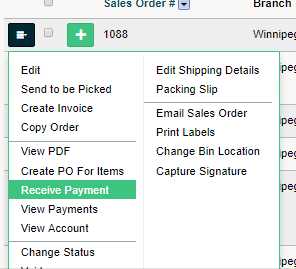
Select the blue menu button beside the Sales Order you wish to receive payment for. In the drop-down menu, click on Recieve Payment.
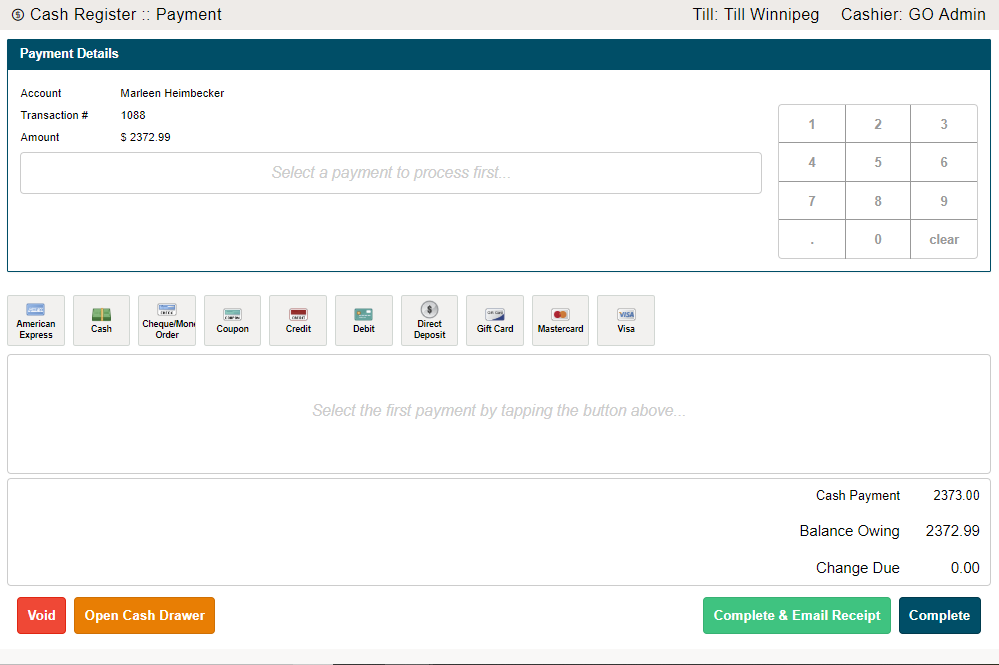
A cash register interface will open, in which you will be able to select the payment type and amount that the customer will be paying at the time. Keep in mind that this does not have to be the full amount of the Sales Order if they are paying for select items on the Sales Order or a portion of the Sales Order.
Finish by click on Complete, or Complete & Email Receipt.
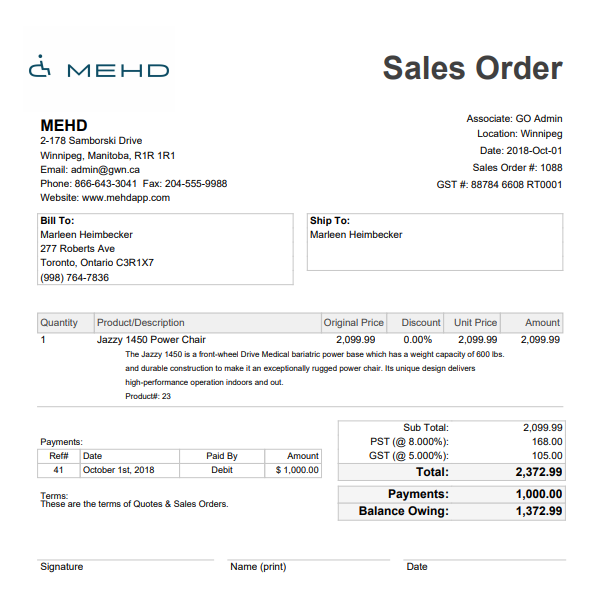
A copy of the Sales Order with the payment amount will pop-up for verification with reference to the payment(s) made.
Once the Sales Order has been paid in full, be sure to change the Status of the Sales Order to Complete.
Comments
0 comments
Please sign in to leave a comment.