
The Sales Order is a confirmation document sent to the customers before delivering the goods or services. Sales Order (SO) can be created once the quote is accepted by your prospective customer (potential) and the Purchase Order (PO) is sent by the customer for further processing.
Sales Orders can receive partial payments for the goods and services that are delivered to the customer.
Steps
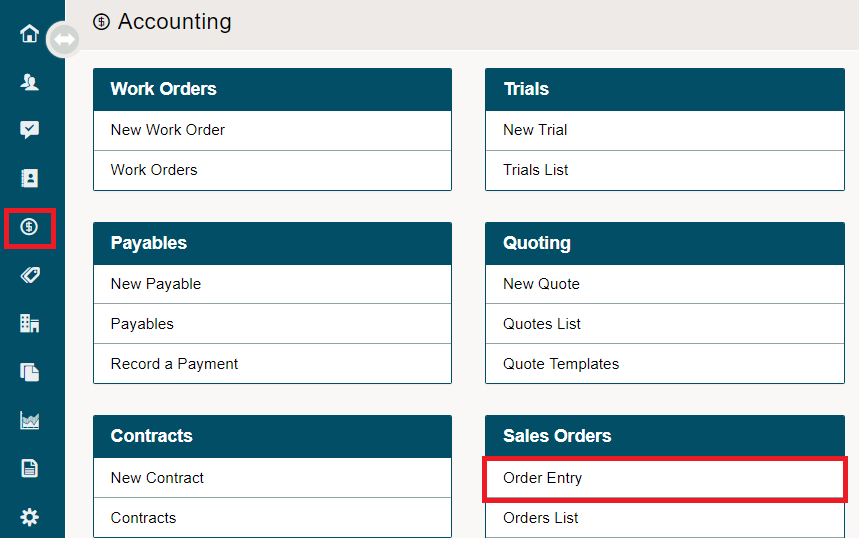
Go to Accounting.
Under the Sales Orders Heading, choose Order Entry.
Type in the Customer Name and add at least one item to the Sales Order.
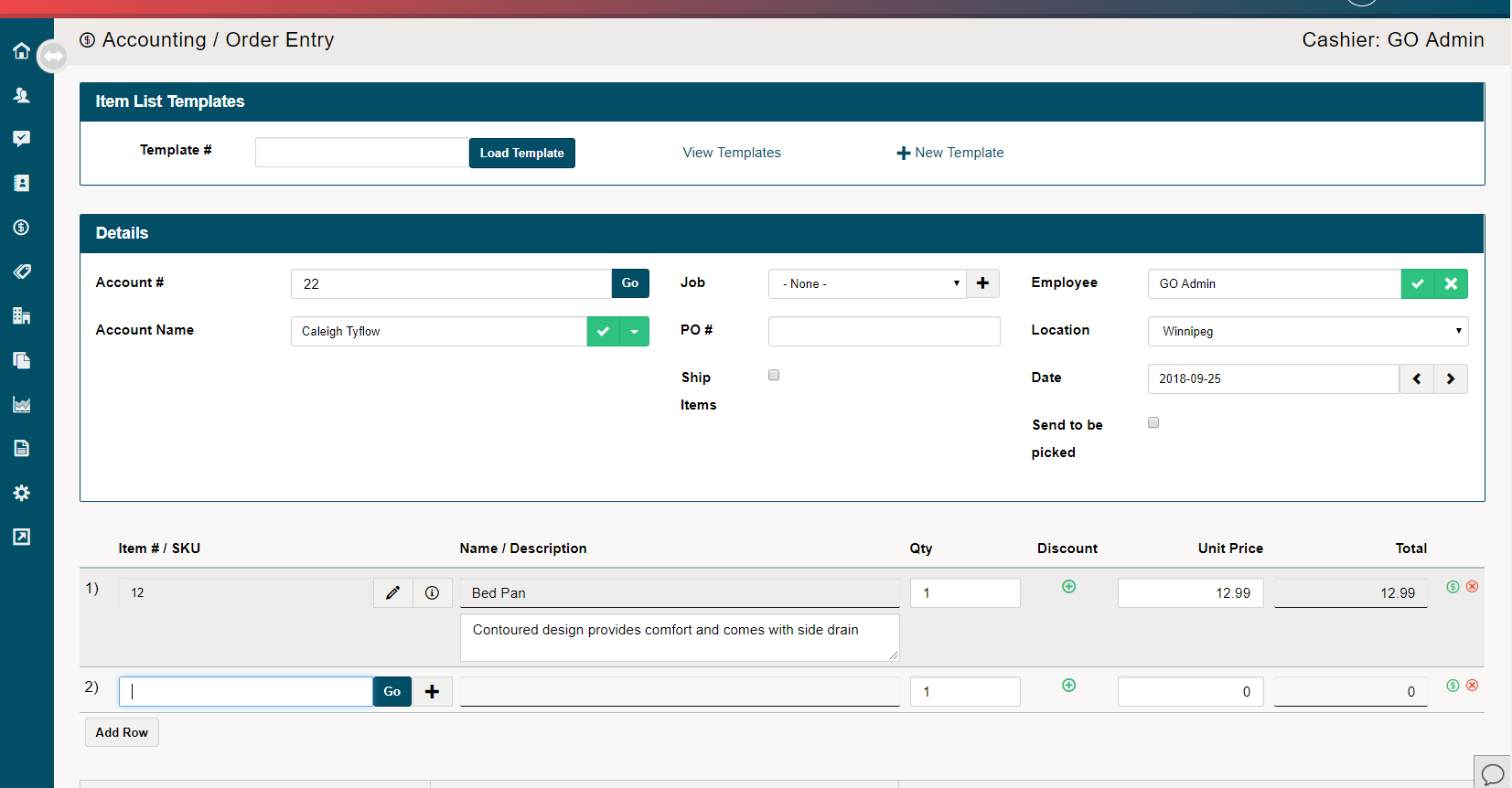
Finish by adding any notes, PO#, Notes, Discounts, or additional details to the Sales Order. Finalize the Sales Order by click on Save.
Comments
0 comments
Please sign in to leave a comment.