
Description
How to Re-Order Tickets
Location
Home / Ticket List (Center-Middle)
Action
1) Click on the Ticket List button in the Upcoming Tickets heading on the home page
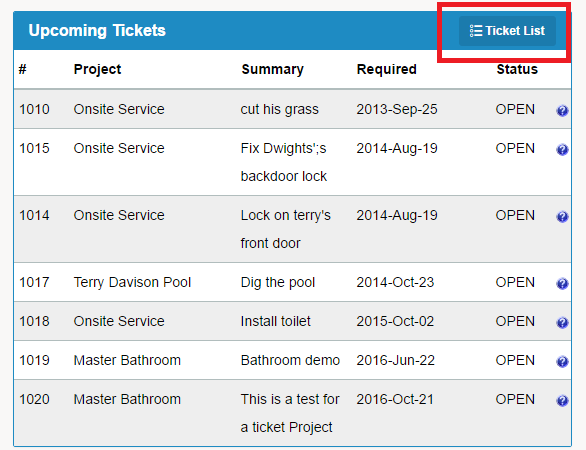
2) You will be brought to a list of all Projects / Tickets
3) To Re-Order tickets, simply click the column name that you wish to sort by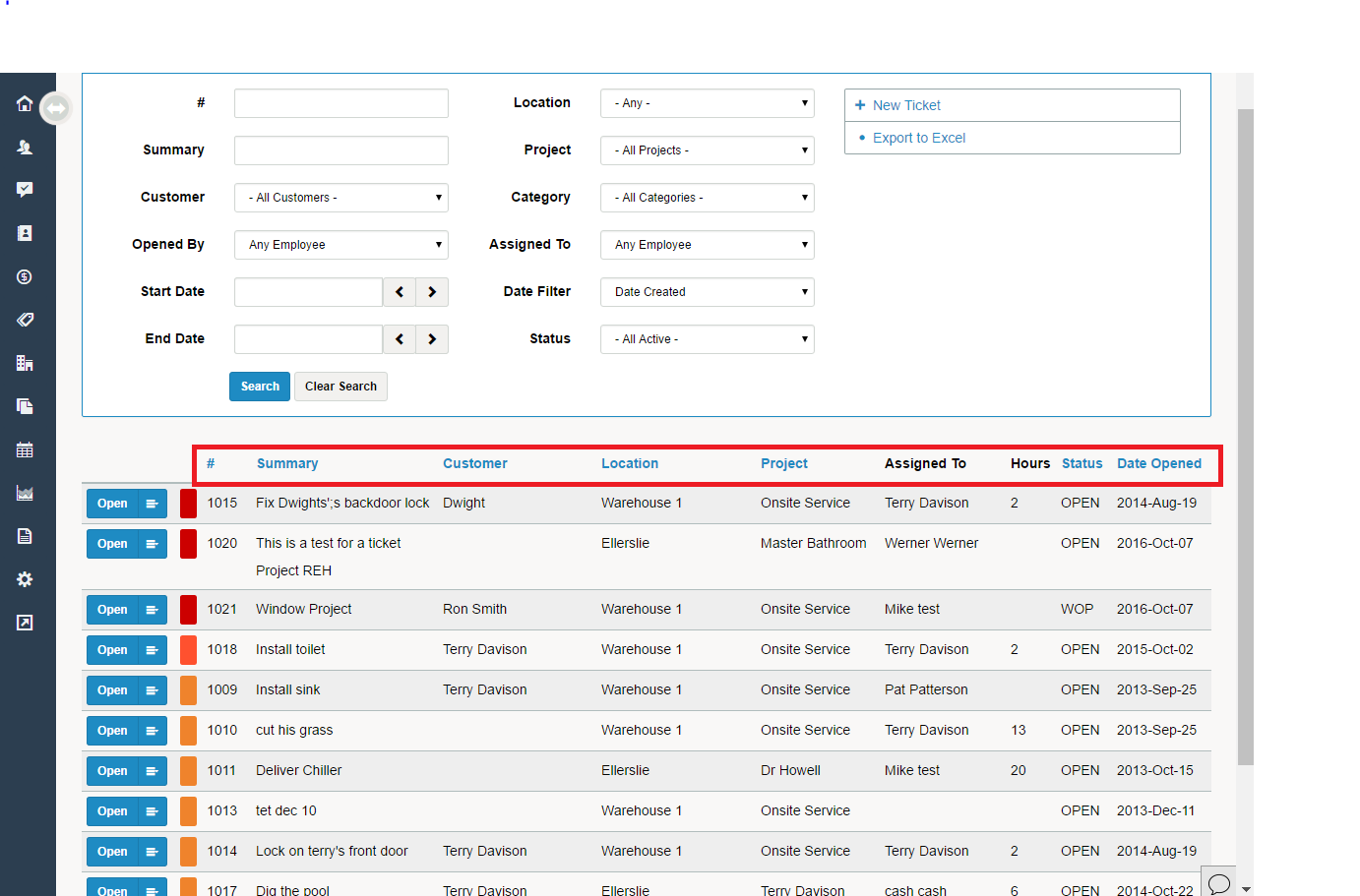
4) If you want to sort the column in the opposite direction, click the column you wish to sort by a second time.
Comments
0 comments
Please sign in to leave a comment.