
Description
How to Add Followers to a Ticket
Location
Home / Ticket List (Center-Middle)
Action
1) Click on the Ticket List button in the Upcoming Tickets heading on the home page
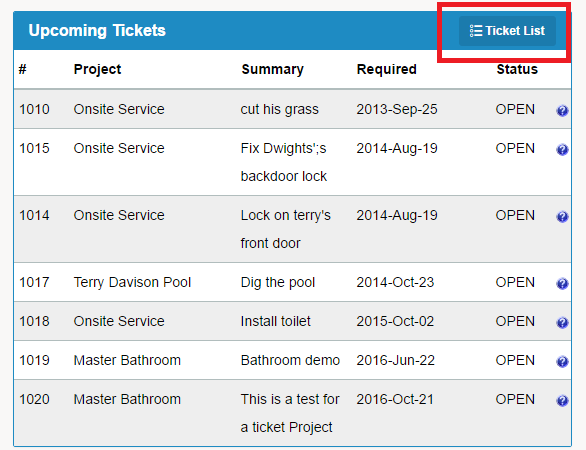
2) You will be brought to a list of all Projects / Tickets
3) To add followers to a ticket, click the Open button to the right of the selected ticket
4) On the right hand side of the new window, click on the Followers tab
5) Click on the Add a Follower button or the Follow Ticket
6) Select the follower from the drop down menu
7) Click Add Follower
7) Click Save
Comments
0 comments
Please sign in to leave a comment.