
Description
How to add a comment to a ticket
Location
Home / Ticket List (Center-Middle)
Action
1) Click on the Ticket List button in the Upcoming Tickets heading on the home page
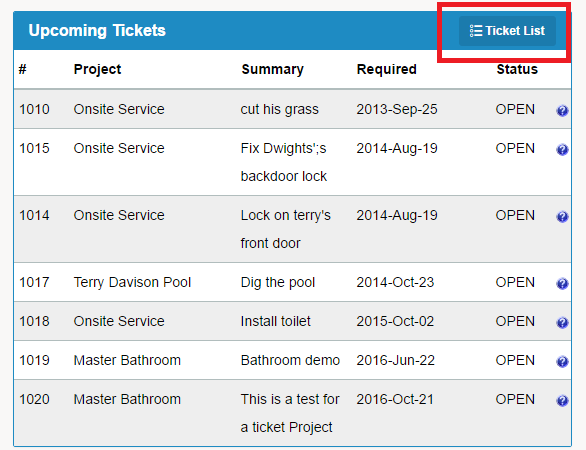
2) You will be brought to a list of all Projects / Tickets
3) To add a comment on a ticker, click the Open button to the right of the selected ticket
4) On the right hand side of the new window, the Comments tab will automatically be opened
5) Type in your comments
6) Click Save Comment
Comments
0 comments
Please sign in to leave a comment.