
Description
How to Assign Tickets
Location
Home / Ticket List (Center-Middle)
Action
1) Click on the Ticket List button in the Upcoming Tickets heading on the home page
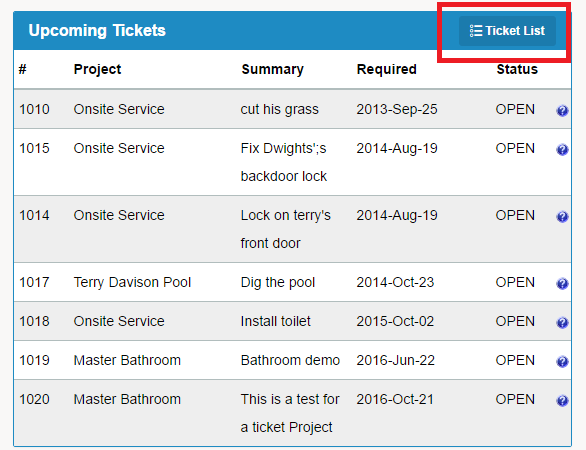
2) You will be brought to a list of all Projects / Tickets
3) To Assign a ticket, click the icon to the right of Open in the selected ticket
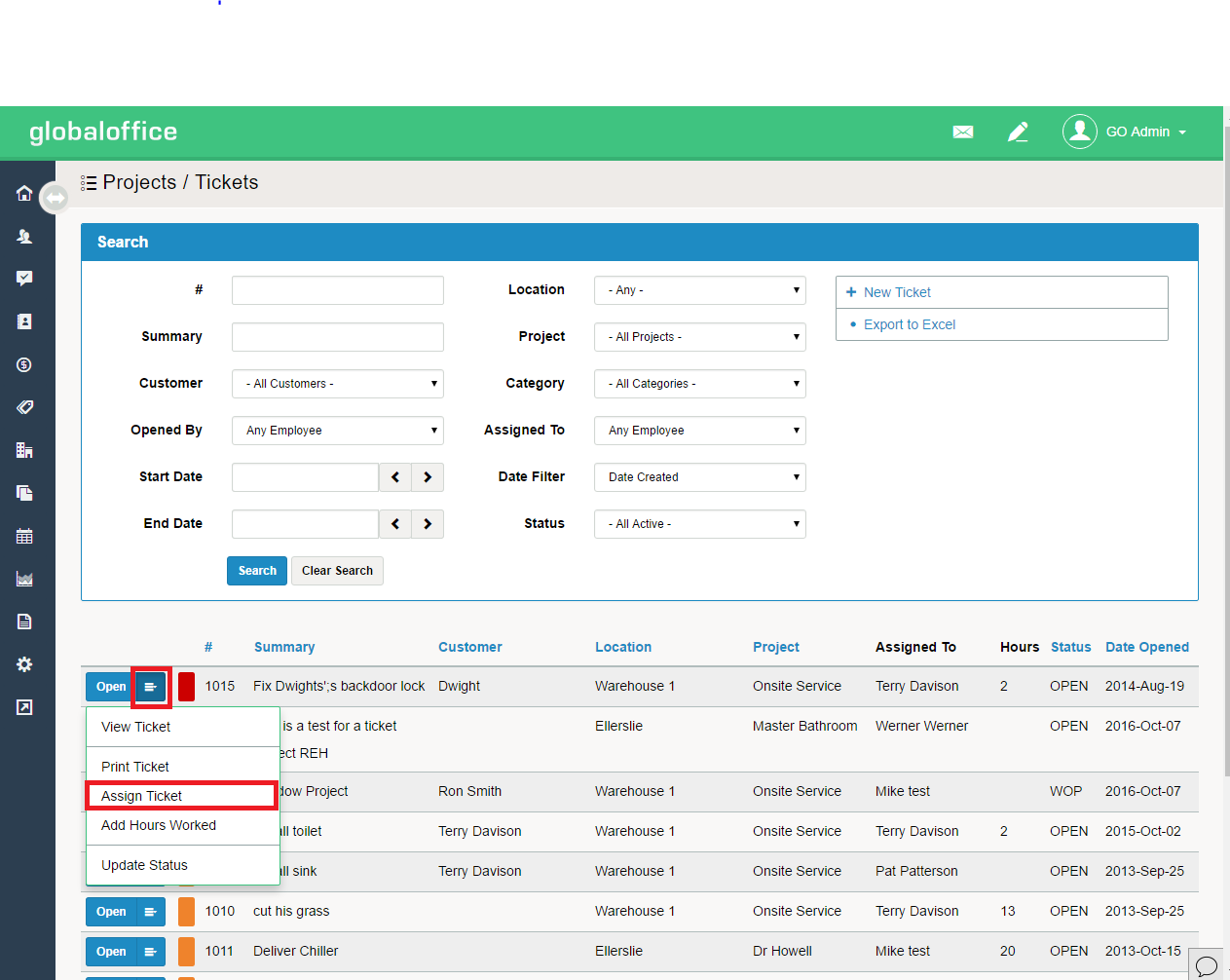
4) Scroll to Assign Ticket
5) Fill out pop-up window details of [Assigned To, Required By, and Comments]
Comments
0 comments
Please sign in to leave a comment.