
You can print individual shelf labels for your products, or labels to put on products specifically. In either case, the method to print is the same.
Steps
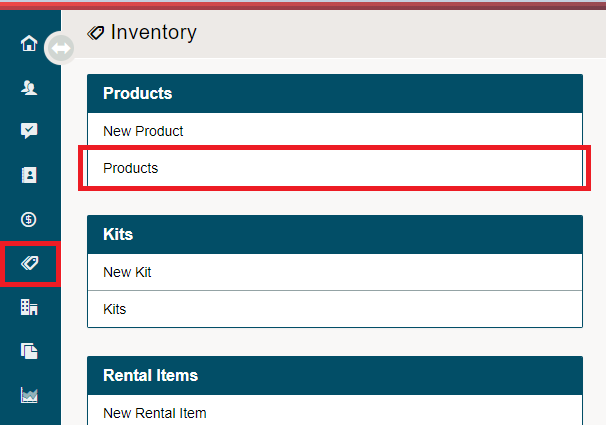
Go to Inventory Module on the Left-Hand menu. Under the Products Heading, choose Products.
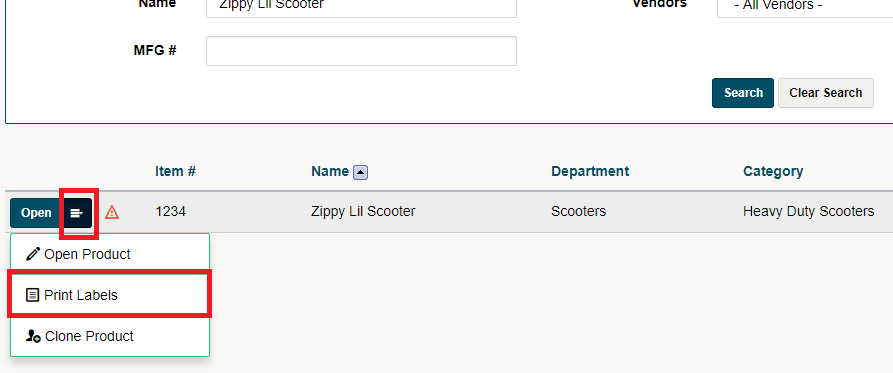
Whichever product you need labels for, choose the contextual menu next to the Open button. Choose Print Labels.
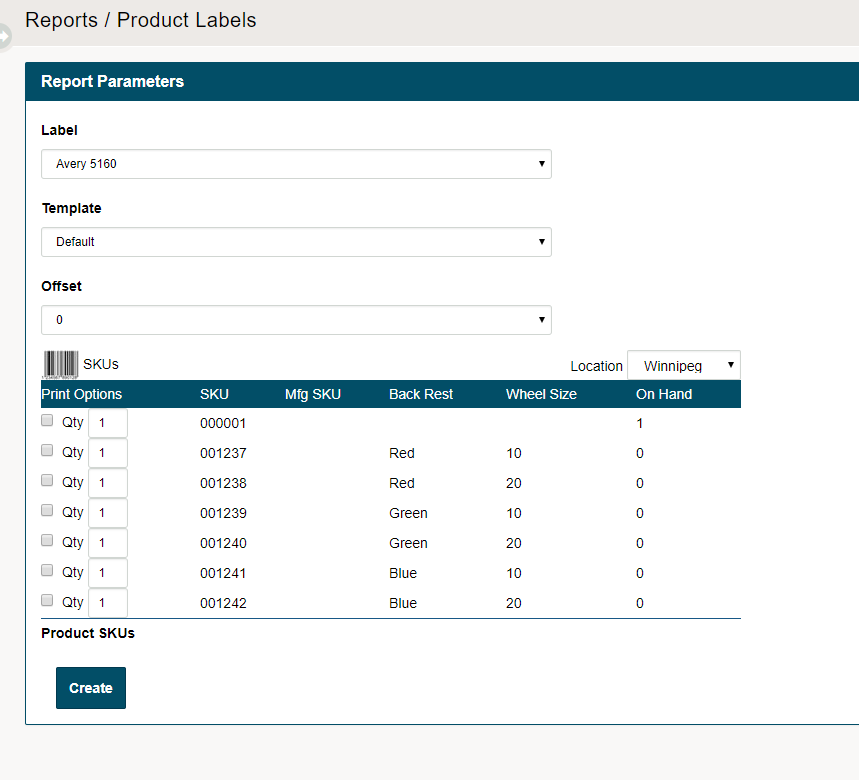
From the fields that are shown, choose the Label, Template, Offset. From there, click the print boxes next to the Quantity to print the labels, and don't forget to fill out how may labels should be printed at that time. Choose to Create.
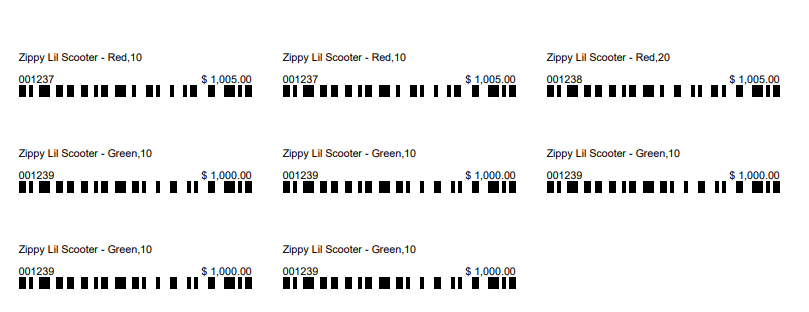
A PDF of the printable labels will appear. Verify the labels and click print.
Comments
0 comments
Please sign in to leave a comment.