
Want to quickly see how much of a set product you have on hand, per location? Use the following details to navigate the select places throughout MEHD / GO Business that you can find inventory per location.
Overview
- Quotes, Sales Order, Invoices, Work Order
- Purchase Orders
- Reordering
- Inventory Details
- Inventory Transfer
Quotes, Sales Order, Invoices, Work Order
Inventory Icon
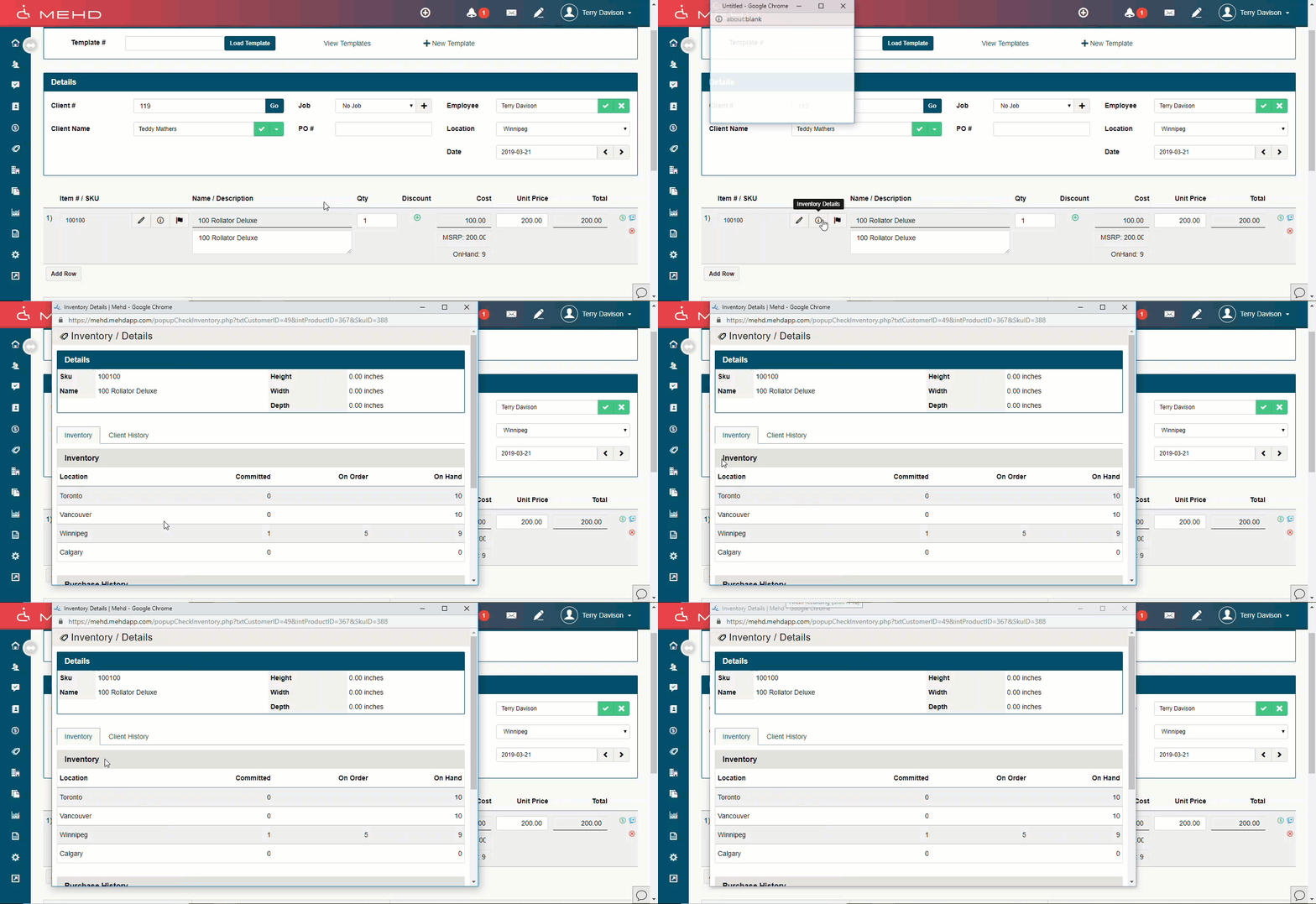
Inside of any (quote, sales order, invoice, work order), you will be able to see an (i) icon to the right of the product number. By clicking on this icon you can go into further details of the product.
Onhand Listing
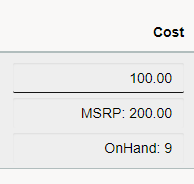
Inside of any (quote, sales order, invoice, work order) and under the 'Cost' of the product, you will see the current 'OnHands' listing for your location.
Purchase Order Worksheet
Accounting > PO Worksheet
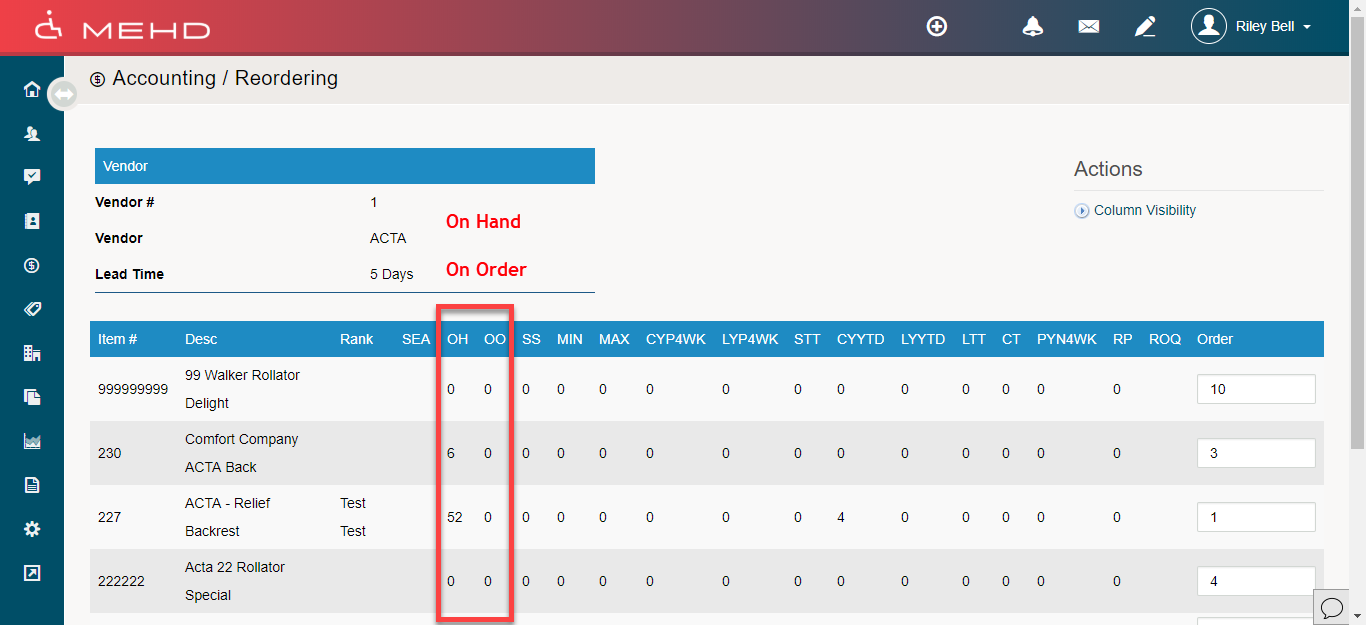
When selecting a 'Purchase Order Worksheet' as the method to make a purchase for multiple products directly to a vendor, be sure that the (On Hand, and On Order) columns are checked off.
Notes:
- The checkbox 'track for reordering' must be checked off for the product to appear when using a Purchase Order, Purchase Order Worksheet, and Reordering Forms.
Reordering
Accounting > Reordering
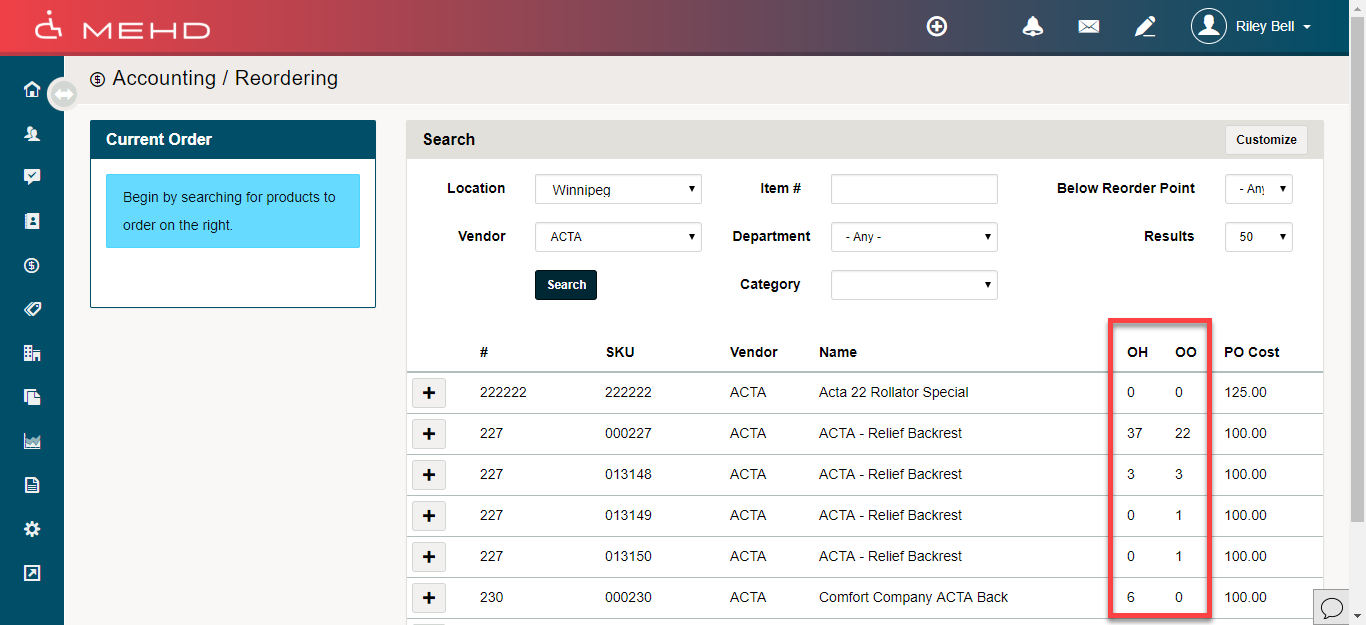
When selecting a 'Reorder' as the method to make a purchase for multiple products directly to a vendor, be sure that the (On Hand, and On Order) columns are checked off.
Inventory Details
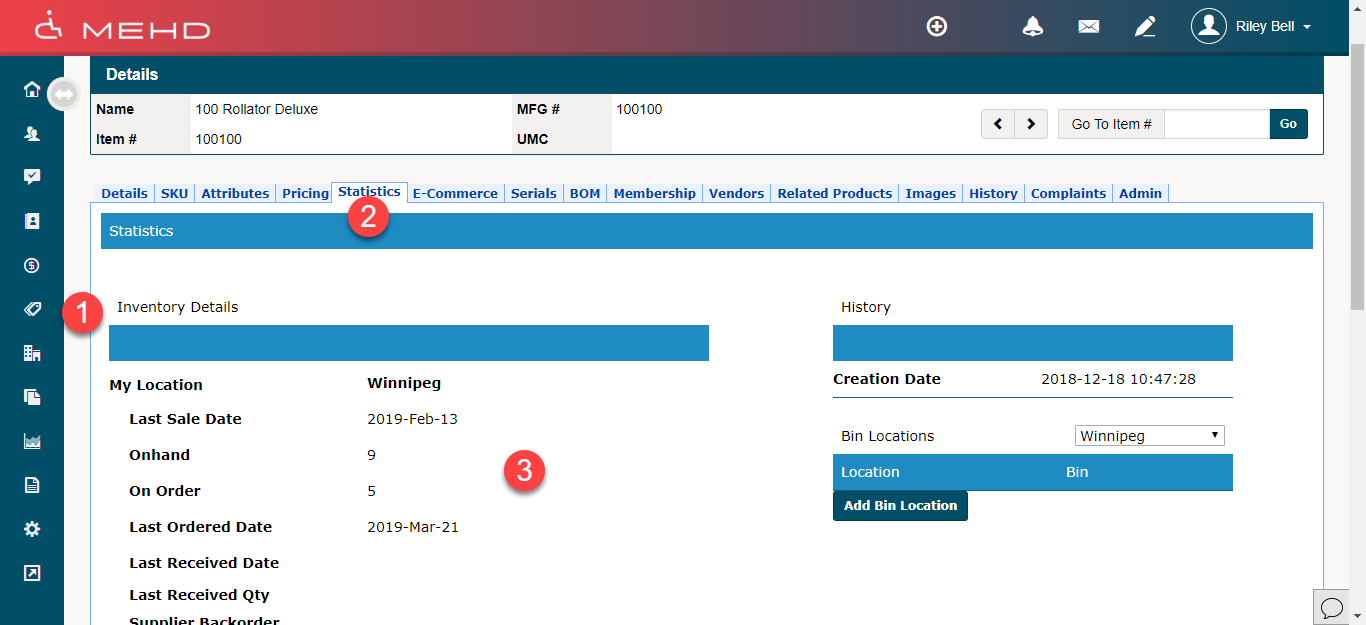
Inventory > Product Profile > Statistics > Inventory Details
Inside of the profile of a product, you will be able to see the inventory details of current Onhand, and the amount On Order.
Inventory Transfer
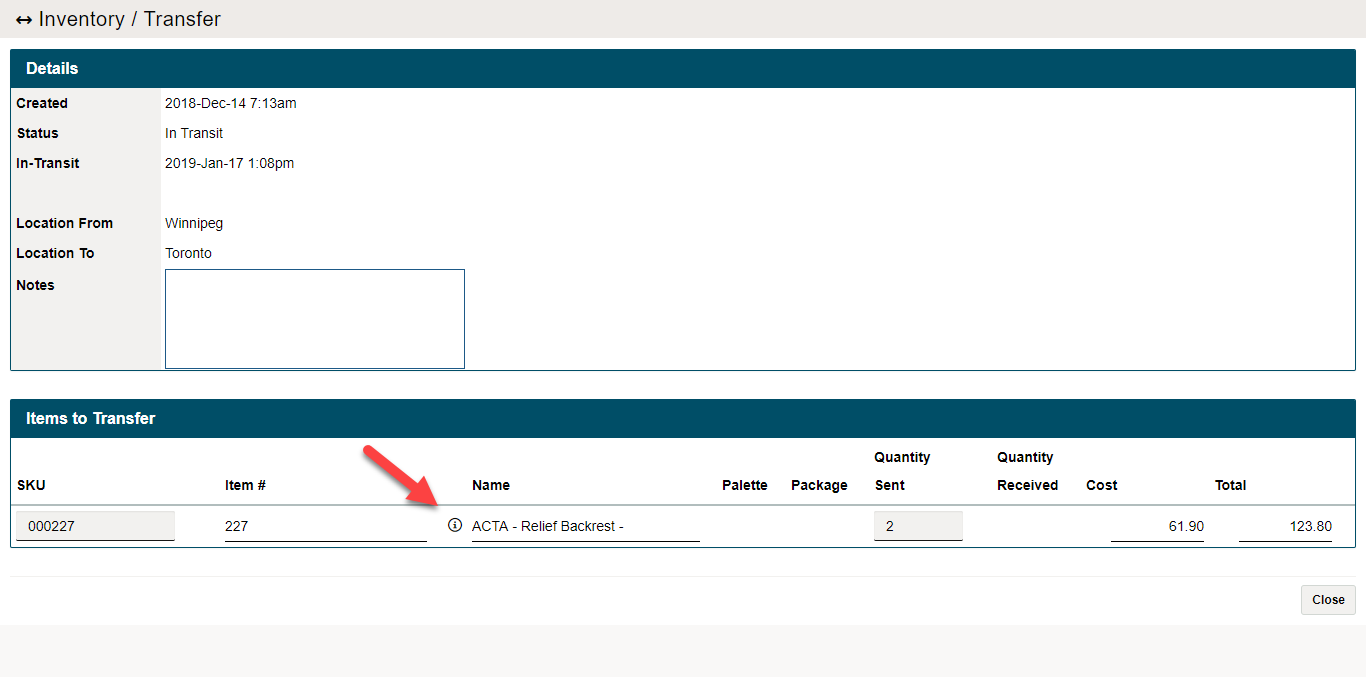
Inventory > Inventory Transfer
Open the details of an inventory transfer and you will be able to see an (i) icon to the right of the product name. By clicking on this icon you can go into further details of the product.
Comments
0 comments
Please sign in to leave a comment.