
Now that a Batch Purchase Order has been sent out and fulfilled by the vendor it needs to be received back into inventory and pushed to the correct Sales Order or Inventory.
Steps
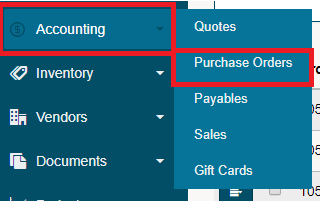
Hover over the Accounting Module, then click on Purchase Orders. A list of Purchase Orders will appear.
Click on [Purchase Order Search] in the top right-hand corner.

Type in the Batch Purchase Order number to the Order # field and click on search (make sure you start and end date are far enough apart).

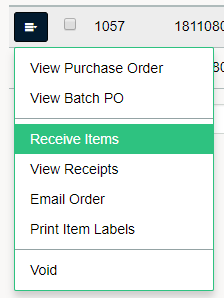
Click on the menu button beside the Purchase Order. Click on Receive Items to verify the amount received into inventory for the Purchase Order.
Click Here to learn more about Receiving Items
Note: It is best practice to receive items for a Purchase Order if they have a Sales Order number before those that do not. This will ensure that you fulfill orders before pushing products to general inventory.
Comments
0 comments
Please sign in to leave a comment.