
Payables can be made to Vendors or Employees. Both should be set up prior to using Payables. Because payables come from Accounts, these should be set up as well.
Steps:
Payables to Vendors are generally for purchases made with purchase orders. Payables to employees may be reimbursed for their expenses. To find out how to create a Payable from a Purchase Order (click here).
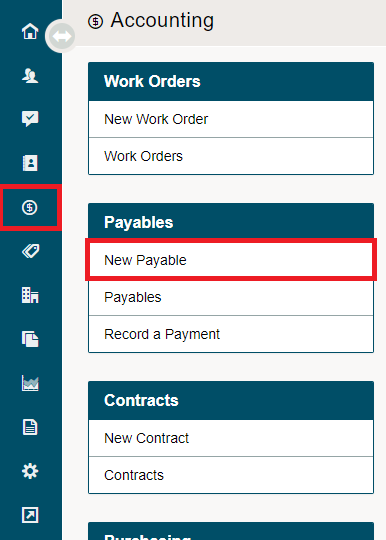
To add a new payable, go to the Accounting module and under the Payables Heading, choose New Payable.
Complete the fields populated in the new window. When a vendor is selected it will automatically pull the adjusted vendor 'terms' with the set 'days' to pay from the vendor's profile. If this is set to (0) by default it will pull the same date as the 'invoice date'.
If you do not have an Invoice number at this point you can adjust at a later time by editing (click here for more information).
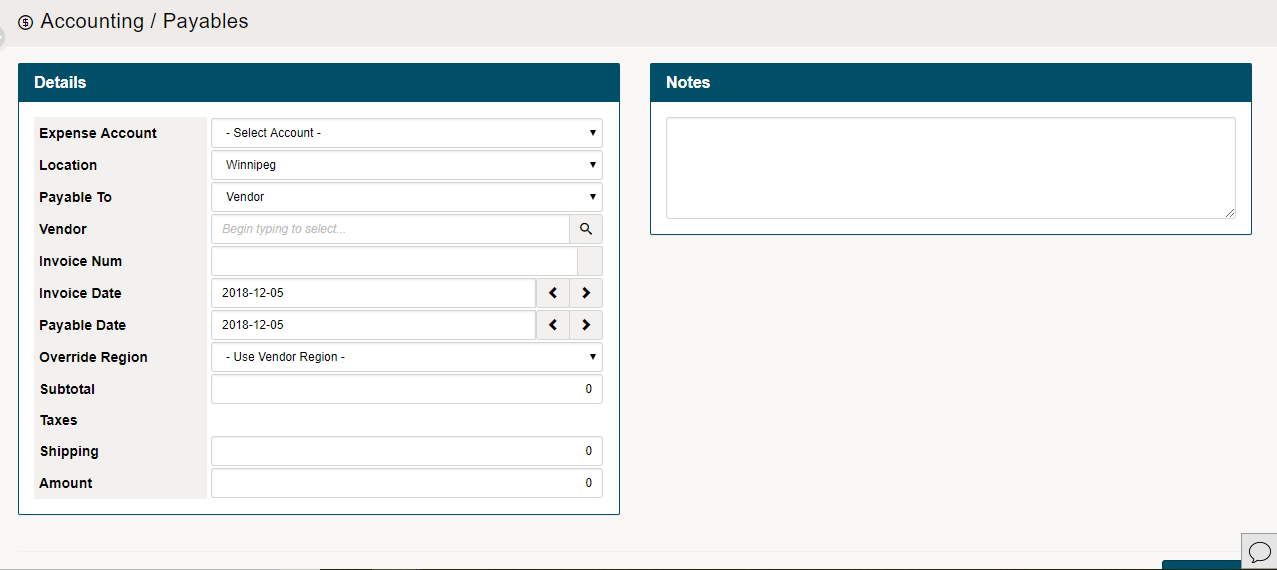
If you have another payable to enter, choose Save & New. If you're done with Payables, choose Save & Exit.
Comments
0 comments
Please sign in to leave a comment.