
When you create a purchase order for multiple products to a vendor, the vendor may return your request for a purchase order by fulfilling two separate deliveries of products and two separate invoices.
Example
Jeff's wheelchair company creates and emails a purchase order for 10 Jazzy 600 wheelchairs from Jazzy Wheelchairs.
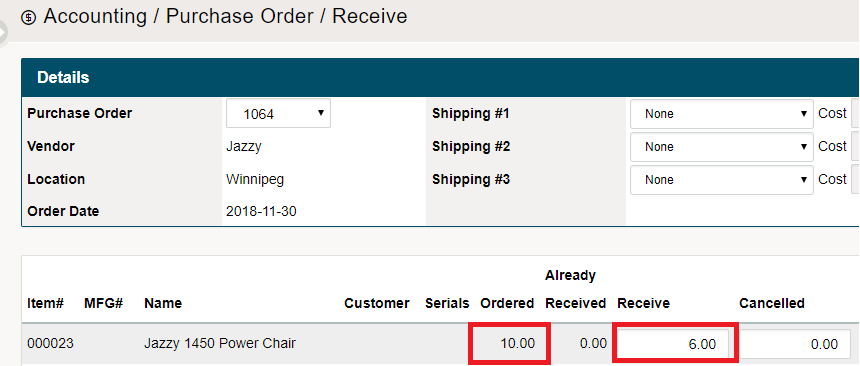
Jazzy Wheelchairs currently has (6) wheelchairs onhand and can ship (6) wheelchairs now and (4) later. In this case, Jazzy will also send (2) invoices to Jeff's wheelchairs.
Jeff revives the first shipment of (6) wheelchairs with an invoice and needs to create a payable now for the products, and create an additional payable later for (4) wheelchairs.
Steps
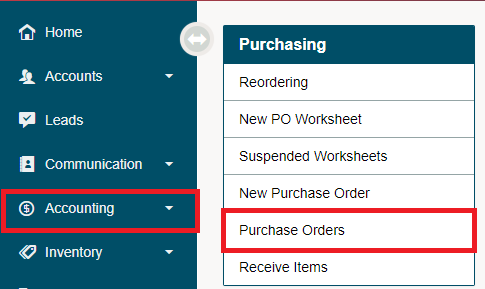
To start out you need to have a purchase order for products from a vendor. Find the purchase order by selecting the Purchase Order list in the Accounting Module.
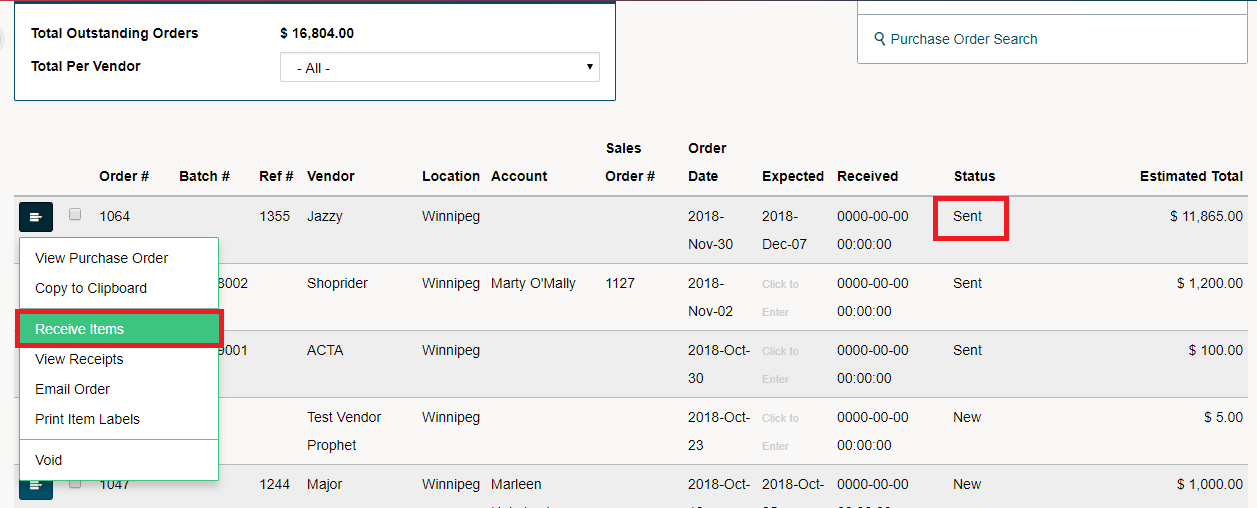
Open the menu beside the Purchase Order that you are receiving only part of the Purchase Order and creating a payable for the Invoice you received from the vendor for the received products.
Enter the received amount of products.
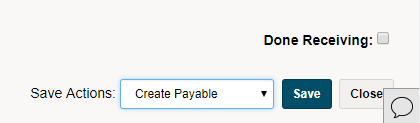
In the bottom right corner of the receiving page, be sure to 'Create Payable' when saving.
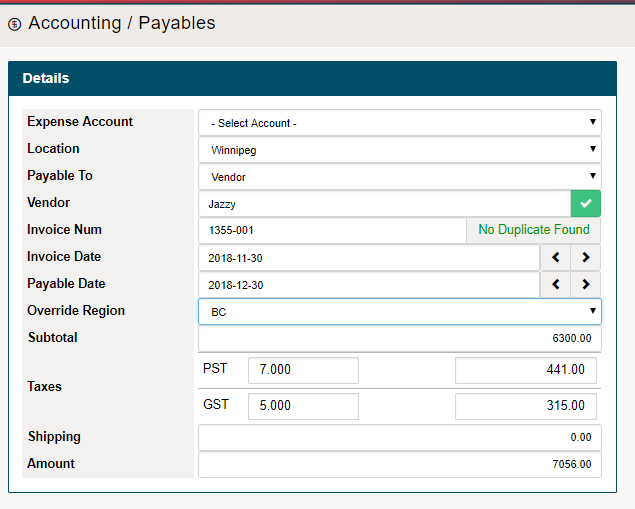
When creating the payable you will notice that it will only charge you for the products that have been received at the time. Finish by saving and exiting. Your Payable will now be created on the Payable list.
On the Purchase Order list you will now be able to see that the Purchase Order has an adjusted status of 'Partially Received'.

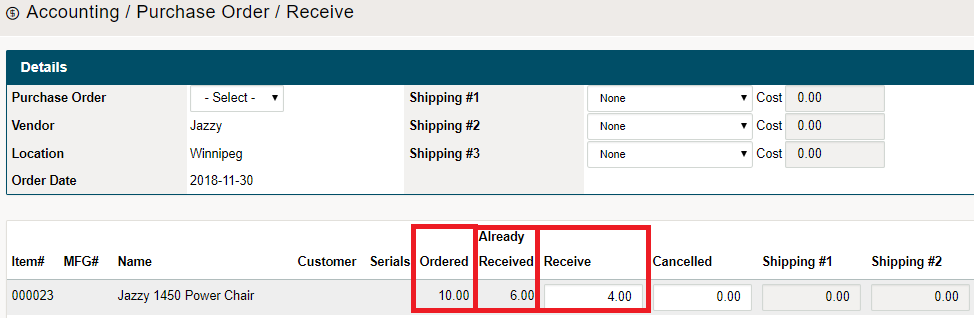
You will see inside of the Purchase order the the 'Ordered', 'Already Received', and 'Recieve' will be adjusted. From there you can create a secondary payable for the additional products.
Comments
0 comments
Please sign in to leave a comment.