
A customer loyalty program is a great way to engage with customers, keep customers coming back, and reward customers for making purchases through your business.

Key Concepts:
- Customer Points - The points accumulated by the customer, stored in the customer account.
- Customers Redemption Value - The value at which each customer point is assessed.
- Dollars Per Point - The dollar value per point that is used in departmental purchases.
Step 1 - Loyalty Program Settings
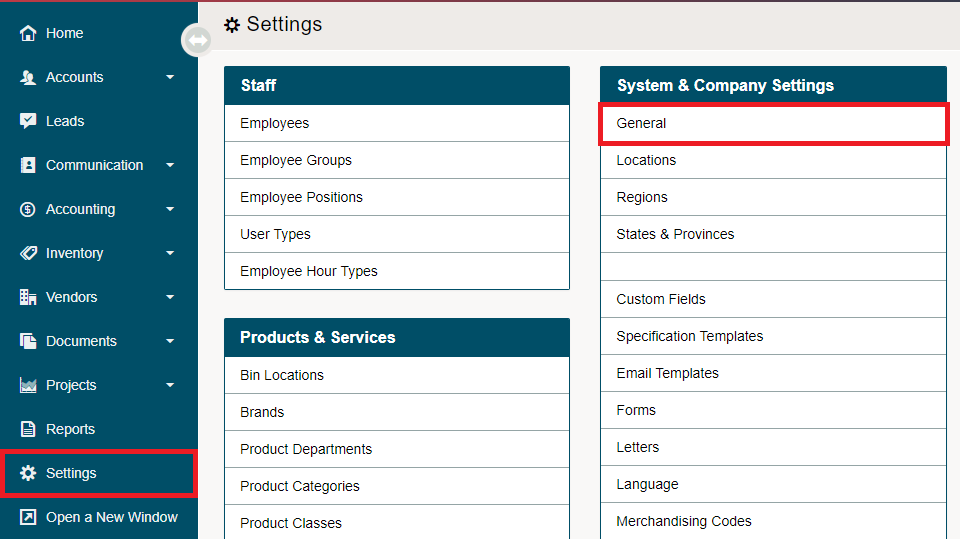
Go to System Settings located on the left-hand menu. Under System & Company Settings choose General.
Select the System tab.

Scroll down to the Loyalty Program located on the left-hand side.
Enabled: This is done in the Modules tab, rather than your current location, System tab.
Default Customer Enrollment:
Redemption Point Value: Enter the value of points for redemption.
NOTE: You will set how many points are earned by product, as some products may earn fewer or more points than others.
Step 2 - Loyalty Program in Departments
Now inside of each department, you will be able to adjust the dollars per points as some departments may require more points to earn the same dollar amount.
Learn how to edit the dollars per points in each department here.
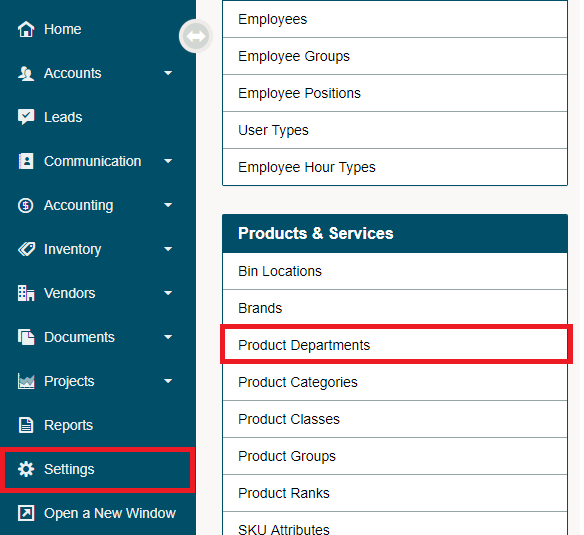
Navigate to the System Settings then to Product Departments to change the Dollars Per Point.
Comments
0 comments
Please sign in to leave a comment.