
Invoice Terms
Invoice Terms Description: Every invoice PDF you email and/or print will show what you put in the box. It is simply a text box, so you can either type in the text here, or copy and paste from another document.
Discount: Enter a percentage
Day: Enter the maximum number of days the percentage discount will be applied to invoices for payment within those number of days.

Accounting
Quote and Order Sales Terms: Every quote and sales order PDF you email and/or print will show what you put in the box. It is simply a text box, so you can either type in the text here, or copy and paste from another document.
PST # Provincial Sales Tax Number
GST # The tax is a 5% tax imposed on the supply of goods and services that are purchased in Canada, except certain items that are either "exempt" or "zero-rated": For tax-free — i.e., "zero-rated" — sales, GST is charged by suppliers at a rate of 0% so effectively there is no GST collected.
US Fed
ID/EIN # An Employer Identification Number (EIN) is also known as a Federal tax identification Number and is used to identify a business entity. Generally, businesses need an EIN.
Region-Based Taxes: Are your customers situated in different regions where certain taxes may apply? Do your customers pick up the product at your retail location or do you ship directly to door where they may pay a different tax due to their province or state?
New Account Credit Limit: What credit limit would you like all companies to start out with? Retailers may have a 'place order on account' at which the customers can pay back the order at a later time. With the credit limit, the customer should not go over this limit.
Contract Name: Name of the Contract
Contract Footer: Reserved for the year and company name
Show Shipping on Invoice: Does your company do any direct shipping where extra charges may be applied to the total invoice?
Invoices & Quotes Require Password to Open Cash: The password to approve the action will be from a user with the user type access to 'Administer Cash & Tills'. Do all Quotes & Invoices at your company have to be approved?
Auto Populate Purchase Order Receive Column: Turning this off will force employees to enter each received amount line by line.
POS
Receipt Printers: Toggle to yes if you will have a receipt printer
Auto Print Receipts: Relies on receipt printers being enabled and attached. From there should the receipt automatically print after every transaction, similar to a grocery store.
Auto Open Drawers: Receipt printer must be enabled, and the cash drawer must be set up in system settings.
Max Transaction Amount: One-time transaction amount
Require Discount Approval: Do discounts require approval from a manager before being processed.
Employee Selector Control: How an employee is added to (Quotes, Sales Orders, Purchase Orders, and Invoices).
- Employee Type-Ahead - Displayed with the employee's name
- Employee # Search - Displayed with the employee's number
Select Employee at POS: Does an employee have to be selected when using the touchscreen POS.
Force Employee at POS: Do you have to force an employee to select every time at the POS
Get Postal Code at POS: Is a Postal Code required every time an order is rung through
Get Postal Code at POS Order Entry: If an order entry is made at the POS, is a Postal Code required
Allow Tax Overrides at invoicing: Do items or the full invoice require tax overrides when creating or paying for the invoice. All employees will have access to this.
Item Entry Process:
- Item, Quantity, New Line - Use if you would like to type in all products quantity, even if they are (1)
- Item, New Line - Most grocery stores and high volume tills. If the customer has (2) of the same product you would need
Line Item Custom Fields at Invoicing
Load Products By Mfg SKU
Show Credit Available at POS: How much credit does the customer have on their account
Save Actions at POS: This allows you to select what happens after you complete a purchase. If this is disabled, it will automatically load the payment screen.
Save Actions at POS Order Entry: This allows you to select what happens after you complete a purchase. If this is disabled, it will automatically load the payment screen.
Default Order Entry Save Action: You must enable the Save Actions at POS Order Entry above for this setting to have any effect. If a user does not have access to paying orders, then it will default to the next item in the list.
Touch-Screen POS New Transaction Timeout: In seconds, listed as to how long the POS will log out from the main screen. Enter (0) to disable this functionality.
Touch-Screen POS Alert Change Due Amount: Alert to the cashier as to how much change is due back to the customer
Touch-Screen POS Payments Change Date: Are you allowed to alter the day the payment was made from on the touch screen POS? If so, change to (Yes).
Purchasing
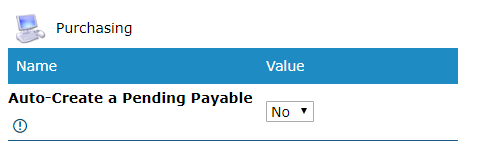
Auto-Create a Pending Payable: When creating a purchase order, automatically create a pending payable for the PO amount payable to the vendor.
Quotes and Sales Orders
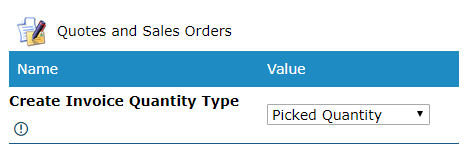
Create Invoice Quantity Type:
- Picked Quantity: Invoices will be based on a picked quantity. An example would be if a customer ordered 3 red bikes and only 2 were in stock. You could write the customer an invoice for 2 picked bikes out of stock.
- Requested Quantity: Invoices will be based on a requested quantity. An example would be if a customer ordered 3 red bikes and only 2 were in stock. You could write the customer an invoice and it would default to pull 3 bikes onto the invoice.
Accounts
List the connected account numbers inside of your accounting system.
AP Account #
AR Account #
Accrued Purchases Account #
AP Account Name
(Asset) Bank Account Name
Shipping "Income" Account Name
PNC ACH Account
Only use if you are connected with PNC Bank. For customers in the United States of America only.
Projects
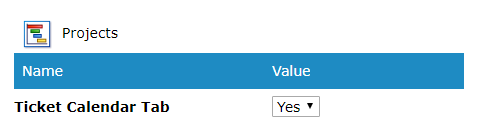
Ticket Calendar Tab: Turn on if the projects module will be turned on as well. The ticket calendar tab will show a calendar of the date the ticket was opended.
Comments
0 comments
Please sign in to leave a comment.