
Lead Sales Stages help salespeople and managers sort leads into the stages throughout the pre-sales process.
Having the ability to sort leading into Sales Stages helps managers see where leads are progressing to over time, and how many leads are in each sales stage.
The Sales Stage(s) can also be referred to as the Sales Pipeline.
Example
- New Opportunity
- Contacting
- Engaging
- Qualified
- Closing
- Won/Lost
Steps
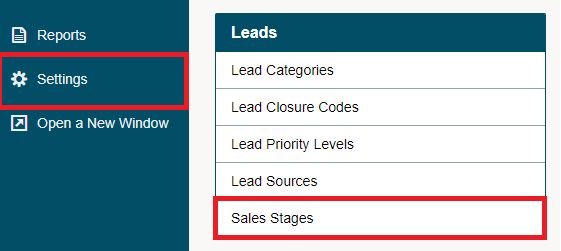
Go to the System Setting module located on the left-hand menu followed by clicking on the Sales Stages button under the Leads heading.
Click on the [+ New Stage] button in the top right corner.

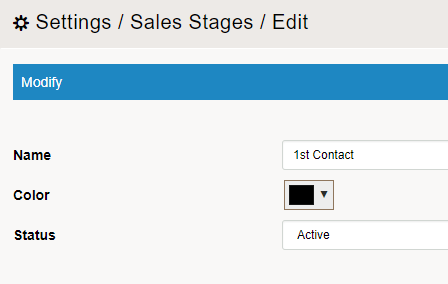
Fill out the following fields:
Name - The name of the new lead sales stage. The name will appear in the sales drop-down list when you are creating a new lead. Type in a suitable name.
Colour - Colour to be displayed on the Lead listing page
Status - Active or Inactive. Inactive Lead Sales Stage will not appear when creating a new Lead.
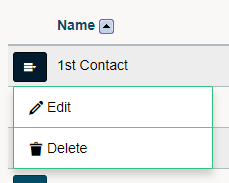
To Edit or Delete
Click on the blue edit button beside the Sales Stage. In the drop-down menu click on Edit or Delete.
Comments
0 comments
Please sign in to leave a comment.