
List you lead by Priority Levels. When sorting through all of your leads in the leads module you can further sort all leads based on their priority level.

Example
- Low (Yellow)
- Medium (Orange)
- High (Red)
- Urgent (Burgandy)
Steps
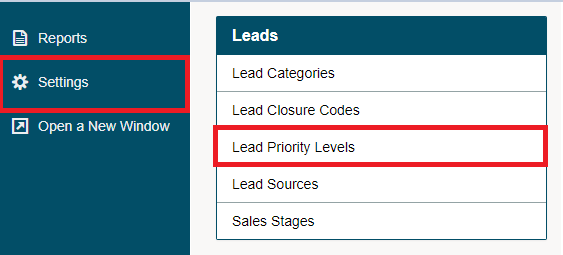
Go to the System Settings module and click on the Leads Priority Levels under the Leads heading.
Next, click on the [+ New Priority] button in the top left corner.

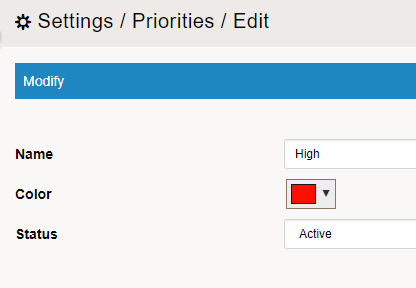
Fill in the following fields:
Name - The name of the new lead priority level. The name will appear in the lead priority level drop-down list when you are creating a new lead. Type in a suitable name.
Colour - Colour to be displayed on the Lead listing page
Status - Active or Inactive. Inactive Lead Priority Levels will not appear when creating a new Lead.
Click on the [Save] button.
Comments
0 comments
Please sign in to leave a comment.