
Tasks are a great way to keep salespeople on track with leads when it comes time to collecting information, making calls, or following up with the lead.
Steps
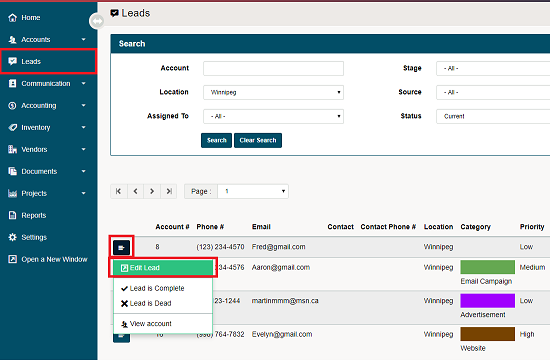
Go to the Leads module located on the left-hand menu. In the list of leads click on the menu button beside the lead you wish to edit. Then click on edit lead in the contextual menu.
A new window will appear where users can edit the (Details, Quotes, Tasks, Correspondence) of the lead. Click on the Task Tab.
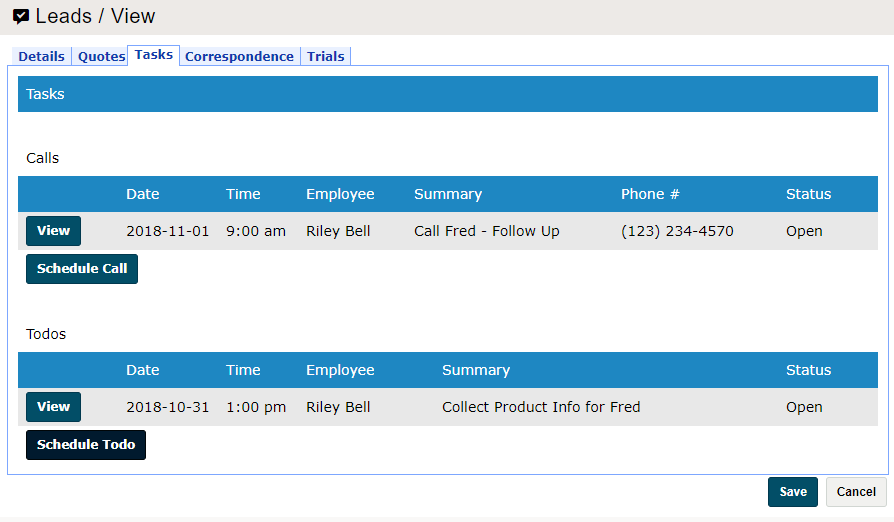
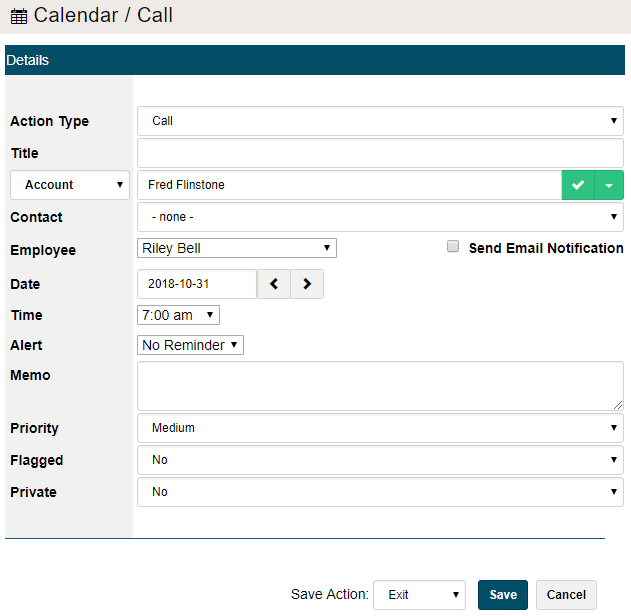
Click on the [Schedule Call] or [Schedule ToDo] to create the corresponding task. A new window will appear where you can fill out more information related to the task. If an alternate employee needs to complete the task to help the lead, simply select that employee from the employee drop-down field.
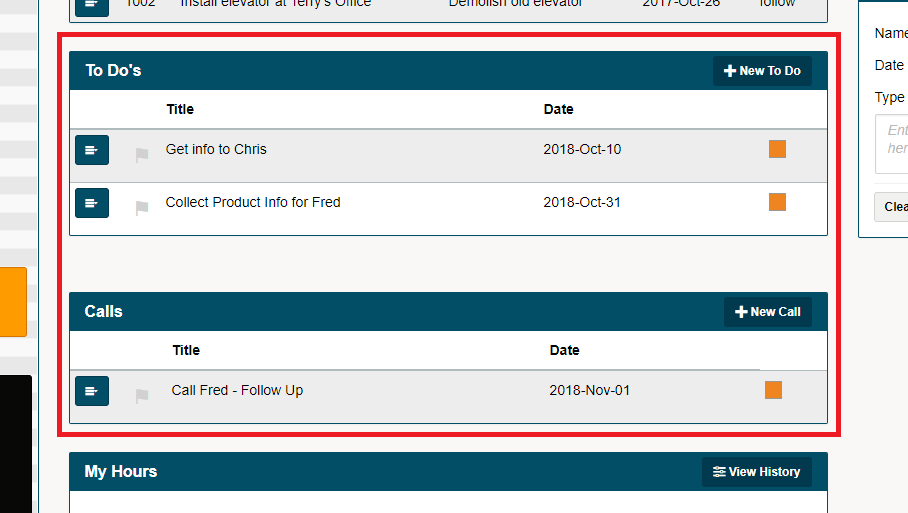
All tasks created are directly relayed on the selected employee's main dashboard. From the main dashboard and list of tasks, the employee can then complete the task while updating information and correspondence related to the task.
Comments
0 comments
Please sign in to leave a comment.