
Often sales people find themselves going back and editing, updating, and adding more information to their leads in their lead pipeline.
Steps
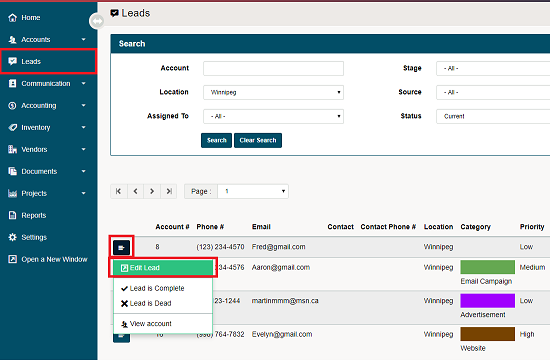
Go to the Leads module located on the left-hand menu. In the list of leads click on the menu button beside the lead you wish to edit. Then click on edit lead in the contextual menu.
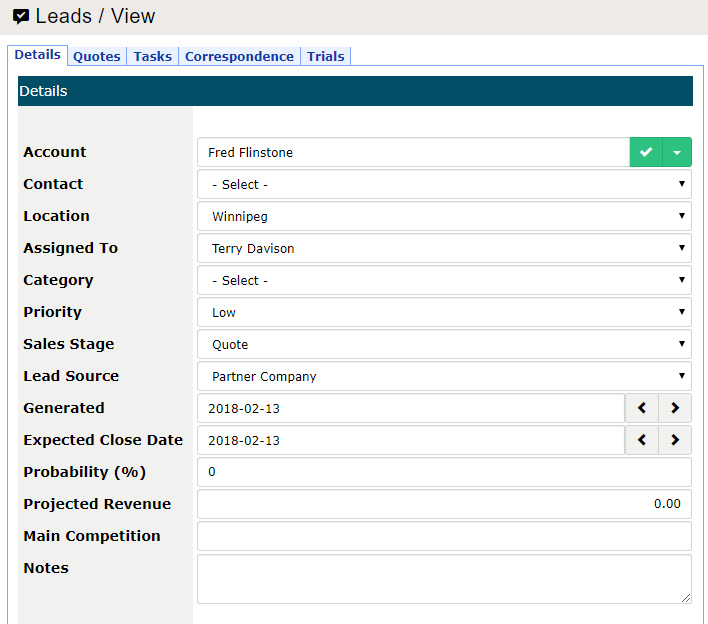
A new window will appear where users can edit the (Details, Quotes, Tasks, Correspondence) of the lead.
Comments
0 comments
Please sign in to leave a comment.