
Contacts are secondary links to customers and vendors.
Examples:
- People you often contact but are not the purchasing customer
- People that assist in the purchasing decision of a customer
- People involved in the customer's outcome
- (caregivers, occupational therapist, mother/father, etc., employee)
- Employees of Vendors
- (Sales Rep, Sales Manager)
Steps
Go to the Settings Module in the left-hand module, followed by Import Contacts.
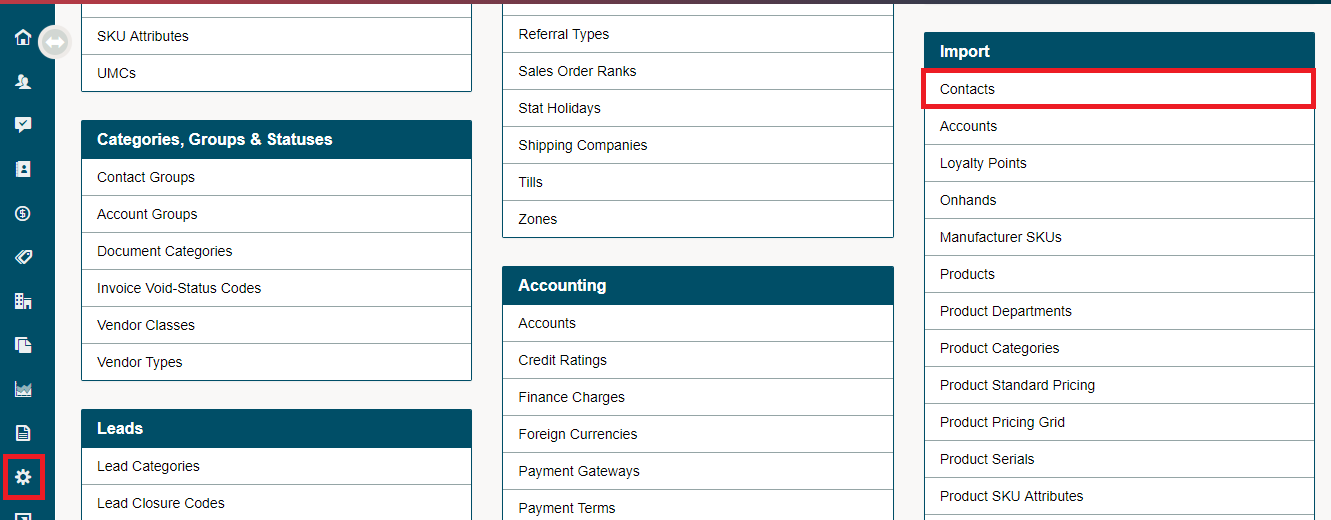
Next, set up your import template by clicking on Setup Template.

Check off the fields needed in your contact import. Retrieve the template by clicking on Save Template.
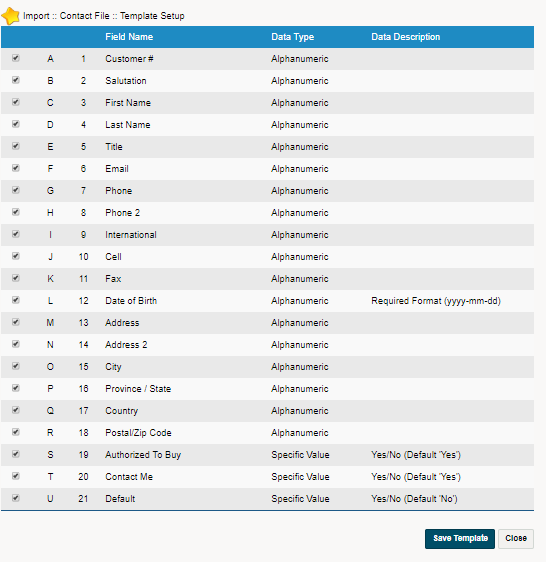
Once saved, click on download template. Open the file on your computer and start to fill out any contacts that you have. If you have exsisting contacts from your old system, simply copy the information into the correct rows.



Once you have gone over the columns and rows to verify the information about to be uploaded is correct, save the file as a CSV.

Next, in your GO Business / MEHD system, be sure to select File Contains 1 Header Row, if the header row was left in place. Follow this by clicking on the Choose File button and selecting the Contact Import CSV file. you saved.

To finalize the import, click on (Preview) to see the information about to be imported. Verify it is in the right column and row. Scroll to the bottom of the page and click on the (Upload) button.

Click Here to view an Example of Contact Import
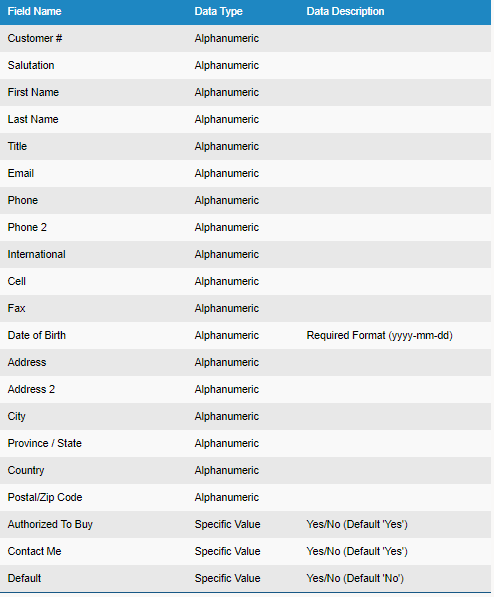
Column Notes
If you would like to attach the Contact to the Customer, make sure that the correct Customer # is imput in the row of the Contact's information.
Notes
- You MUST import the file in CSV format
- You MUST ensure that the order of your import file matches the order (from top to bottom) of the field selection box
-
Be sure to check over your data before importing. Use the Filter feature in Microsoft Excel or Google Sheets to view all data in a column. Verifying that all data is in the correct format and in the correct cell ensures seamless data transfer.
Comments
0 comments
Article is closed for comments.