
Use the Customer Invoice Report to find all the invoices that have been created for a select customer or customer group between a time frame.
Steps:
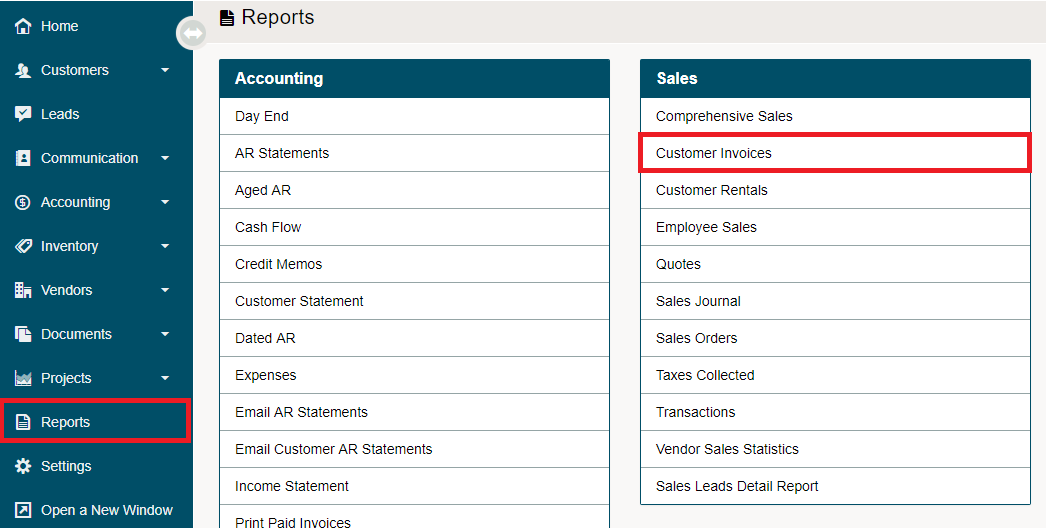
Go to the Reporting module followed by clicking on the Customer Invoices under the Sales heading.
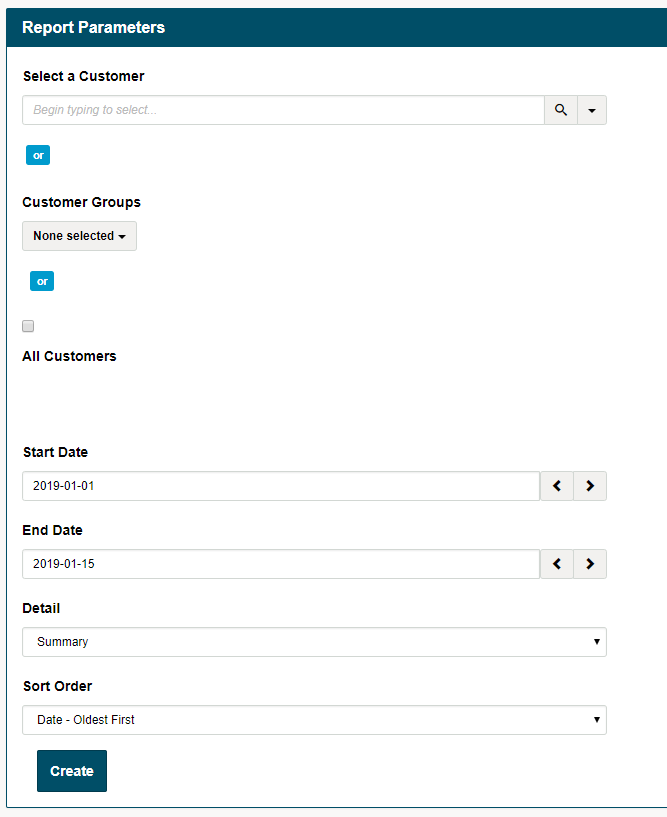
Inside of the report parameters, type in the name of the customer, select the customer group or all customers you would like to report on.
Then select the dates you would like to run the report from, the amount of detail you would like to see (summary, invoices) and the Sort Order of the report (Invoice # or Dates).
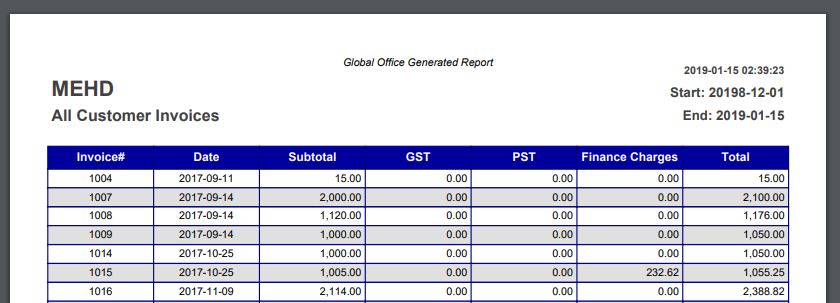
PDF Summary Output
Comments
0 comments
Please sign in to leave a comment.