
If a customer would like a quote on a rental before they actually rent the product handle it with ease inside of MEHD/GO Business.
Simply suspend the rental transaction and print or email a PDF of the rental quote.
Steps - Quick Create Button:
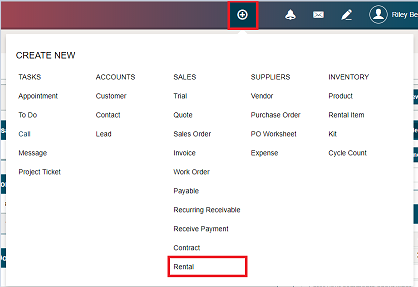
Click on the quick create button followed by Rental.
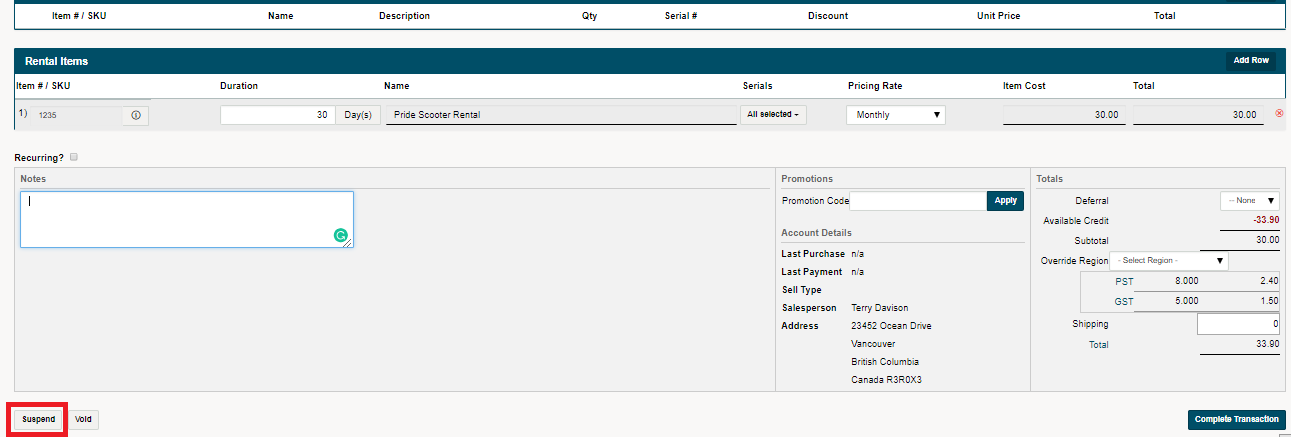
Fill out the rental with a customer and rental items, attaching the correct pricing rate and serials if needed. Navigate to the bottom left corner to suspend the transaction.
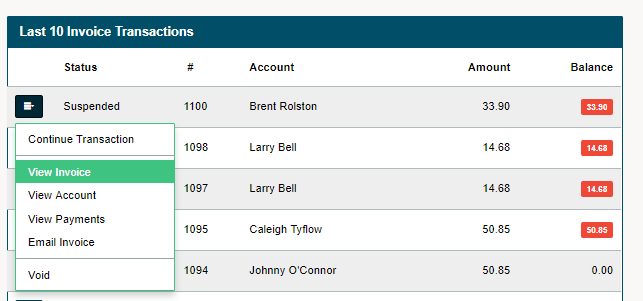
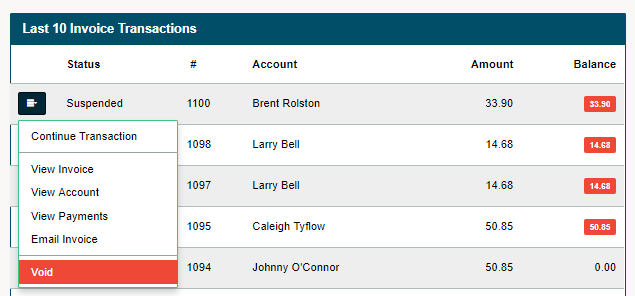
In the accounting module, you will be able to see the suspended transaction under the last 10 invoices. Click on the edit button beside the rental transaction followed by view invoice to view a PDF of the rental agreement.
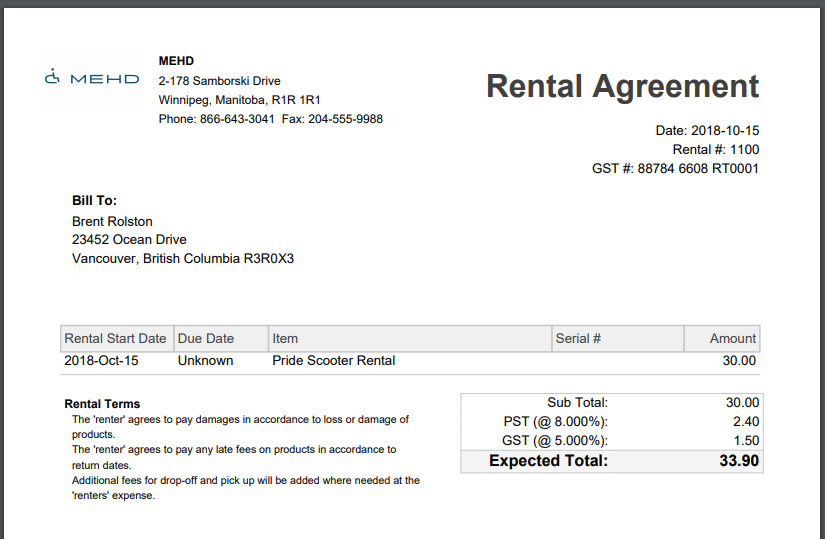
A PDF of the rental agreement will appear. From this screen, you can print the rental agreement.
If the customer wishes not to go ahead with the rental, simply void the rental transaction.
Steps - Rentals Module:
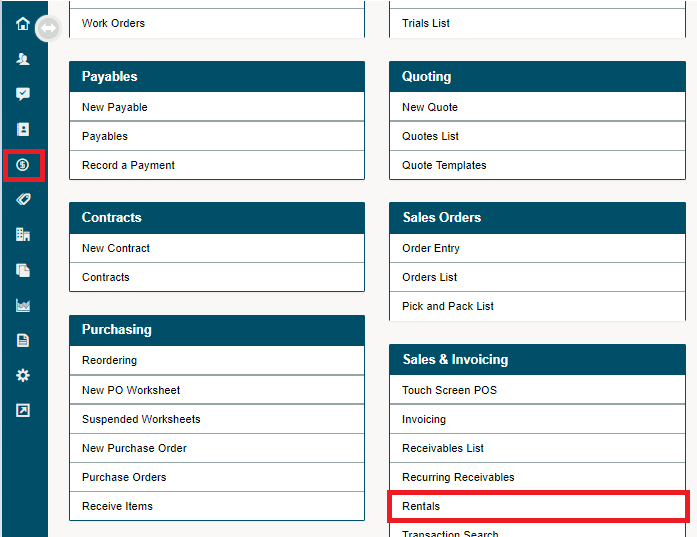
Click on the accounting module in the left-hand menu followed by Rental.
Fill out the rental with a customer and rental items, attaching the correct pricing rate and serials if needed. Navigate to the bottom left corner to suspend the transaction.
In the accounting module, you will be able to see the suspended transaction under the last 10 invoices. Click on the edit button beside the rental transaction followed by view invoice to view a PDF of the rental agreement.
A PDF of the rental agreement will appear. From this screen, you can print the rental agreement.
If the customer wishes not to go ahead with the rental, simply void the rental transaction.
Comments
0 comments
Please sign in to leave a comment.