
It happens sometimes, a customer books a rental of some pieces of equipment and never shows up.
After entering the rental into your GO Business / MEHD system you warehouse team picks the items from inventory and puts them off to the side and tags them for your rental customer. The only thing needed is the rental customer, but they never show and now you need to cancel the rental.
Steps
Hover over the Accounting Module, then hover over the Sales in the menu, then click on Rentals.
You can also access the rentals module by clicking on the Accounting Module, then on the Accounting page under the Sales & Invoicing heading, click on Rentals.

A list of all your rentals will appear. Use the search bar to search for rental you want to view or check-in.

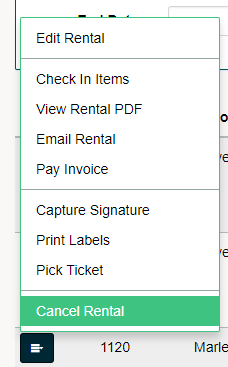
Click on the menu button to the left side of the rental item. In the menu click on 'Void Rental' or 'Cancel Rental'.
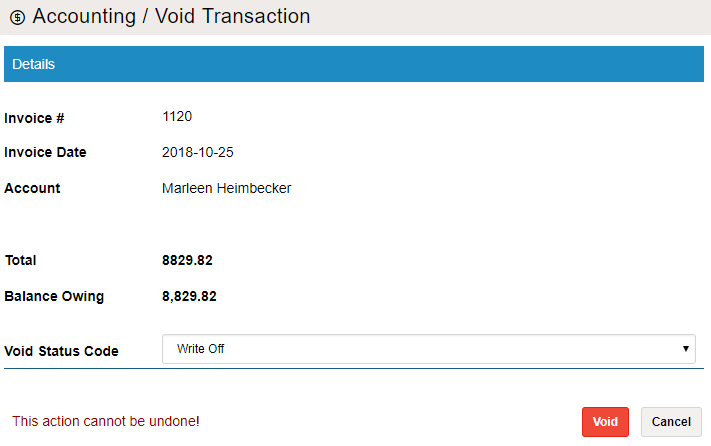
A window will appear with the void codes listed in your GO Business / MEHD system. Select why the rental is being voided or canceled and finish by clicking save. The rental will be removed from the rentals list.
Comments
0 comments
Please sign in to leave a comment.