
There are two steps to enable Rentals in your GO Business / MEHD system. Follow along with the two steps below.
Enable Product Rentals Module
Go to Settings Module, then under the System and Company Information Heading, choose General.
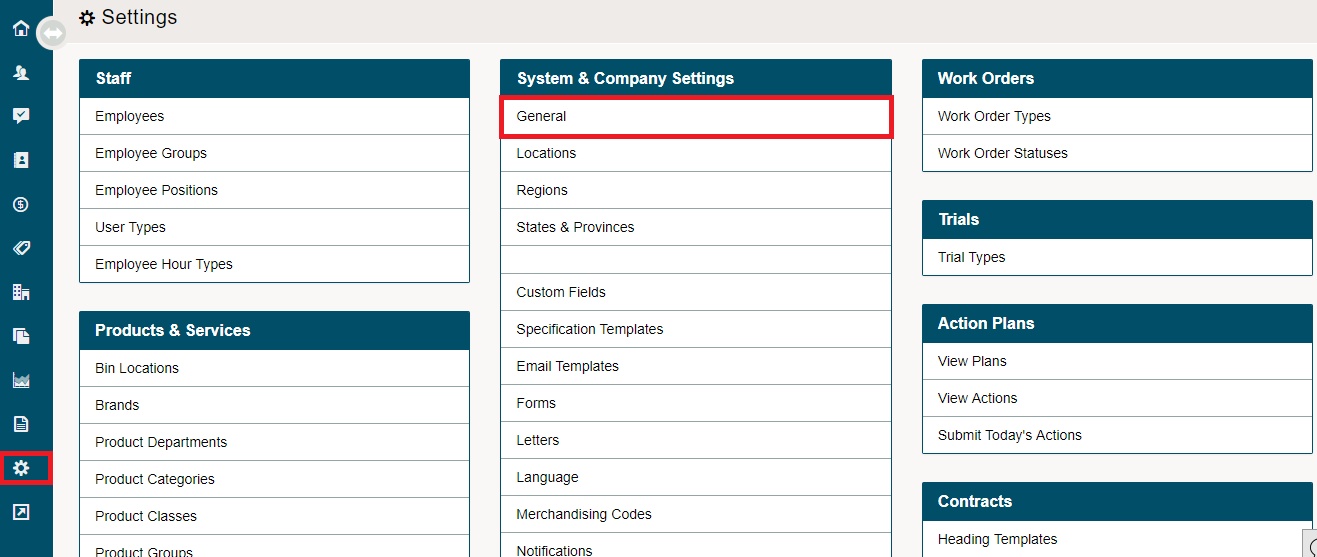
Go to the Modules Tab.

Scroll down to Product Rentals. Set the drop-down selector to Yes.

Enable Rental Transaction Type
Go to Settings Module, then under the Accounting Heading, choose Transaction Types.
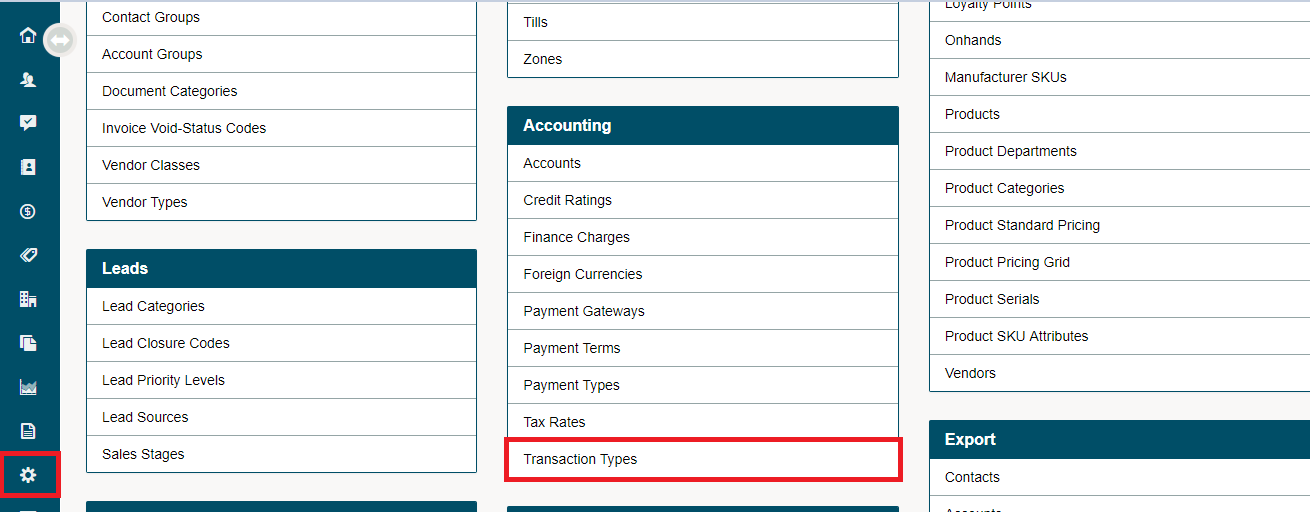
Click on the [+ New Transaction Type] button to create a rental transaction.
Fill out the following fields:
- Type - Change the drop down to be a rental
- Code - Rent
- Name - Rental
- Default Account - Do not select an account
- Price Type - Pricing Calculation
- Required Reason - No, Do not select
- Affect On hands - Yes
- GL Transfer Report - Yes
- Default - No
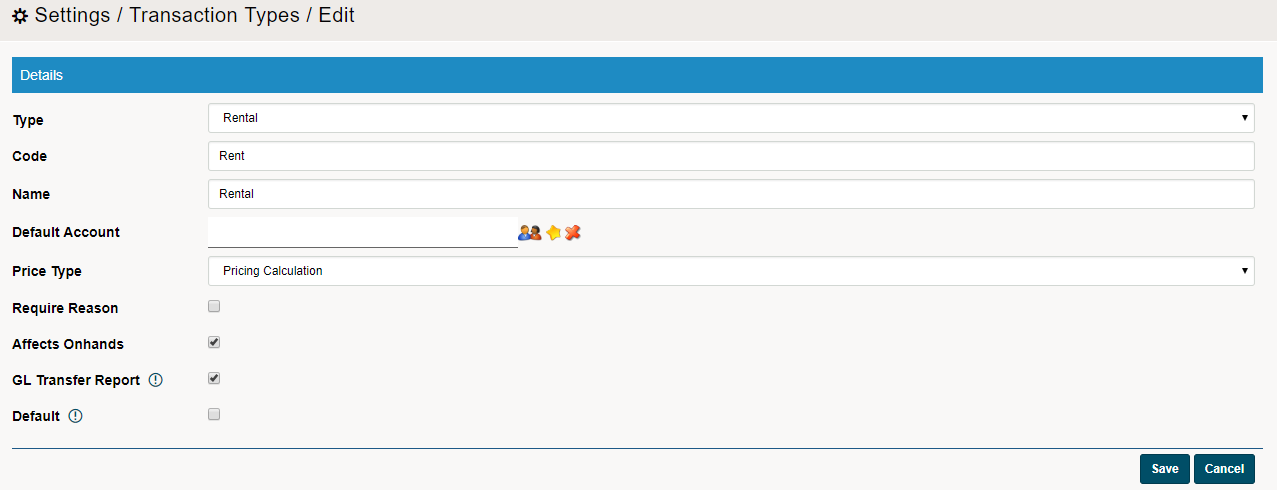
You will now be able to access rentals as a module and as a transaction type.
Comments
0 comments
Please sign in to leave a comment.