
When your customer has accepted your quote and wants to move forward with it, you can convert the quote to a sales order.
EXAMPLE:
Your customer has reviewed your quote for supplies and labour costs and has accepted the quote. They would like to proceed. Rather than creating a brand new sales order, you can convert the existing quote to a sales order. Then, you can get them to sign it, pay a deposit, if required, and you can even create a Purchase Order to your vendor(s) for items on the sales order.
STEPS:
Go to Accounting.
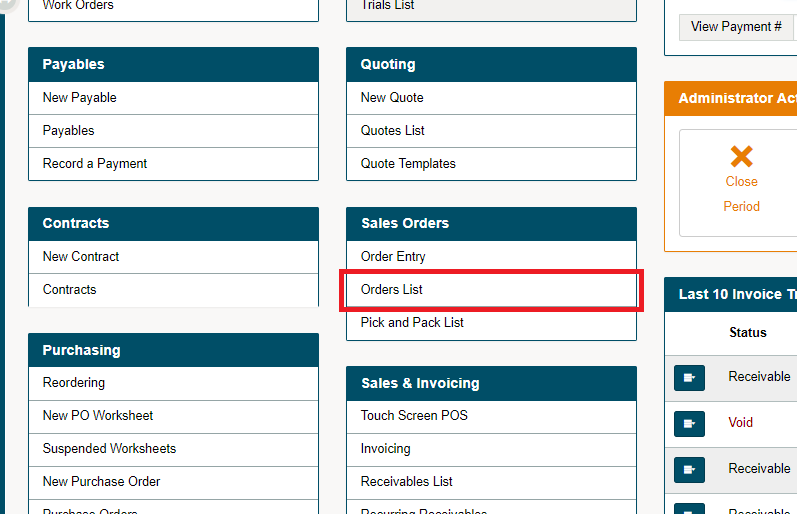
Under the Quoting Heading, choose Quotes List.
Choose the contextual menu for the quote you would like to convert to a Quote.
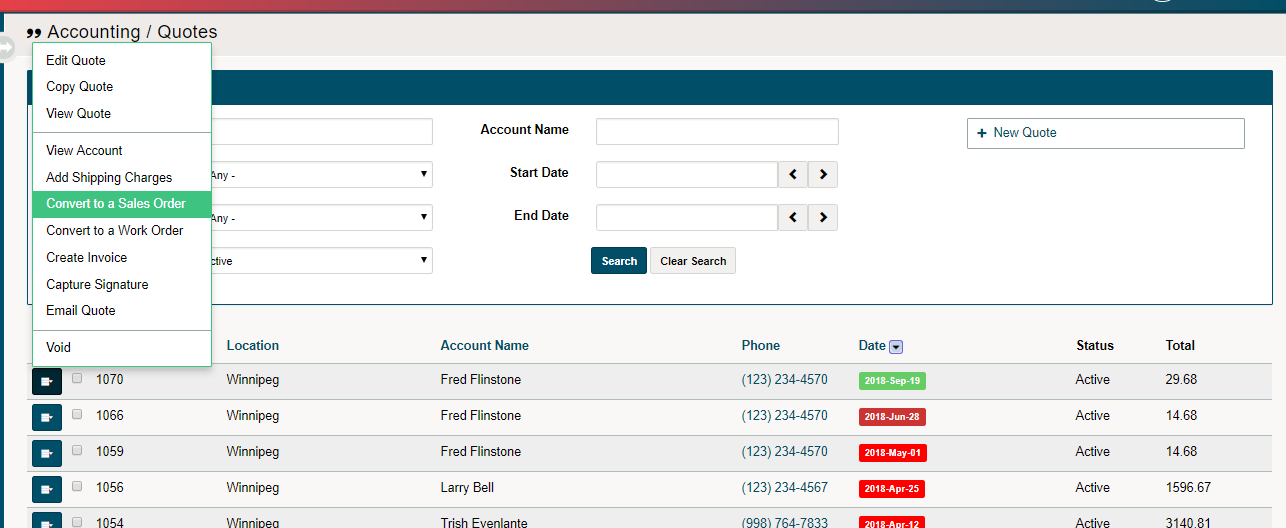
Choose Convert to Sales Order from the menu. Find the 'Quote' under the 'Sales Order List'.
Comments
0 comments
Please sign in to leave a comment.