
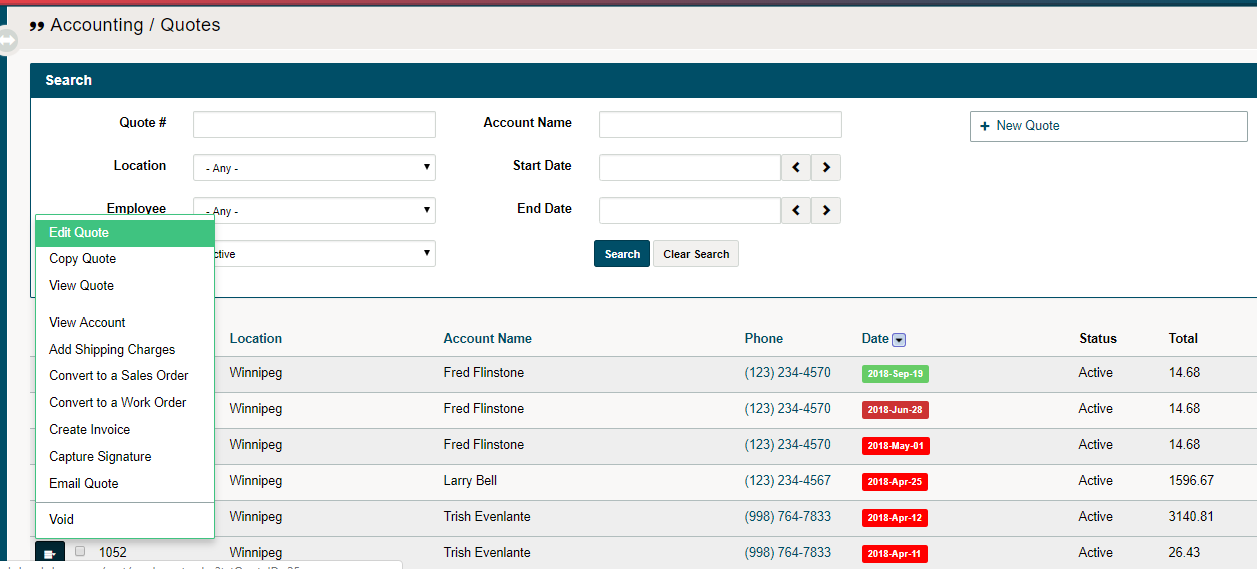
Have a client that would like to add items to their Quote? No problem, simply use the edit quote button.
Example
Mrs. Johnson asked Garry's Lawn Works to quote her the price of a Fall Clean up. Garry did just so and emailed Mrs. Johnson right from his GO Business / MEHD system.
The week before Garry is set to clean up Mrs. Johnson's yard, she asks if he could add the additional services of trimming her front 2 hedges and putting up her Christmas lights at the same time.
Garry simply goes into his GO Business/MEHD system and edits Mrs.Johnson's quote, adding additional services for labour and saves the quote, once again emailing Mrs. Johnson with the updated quote.
Steps
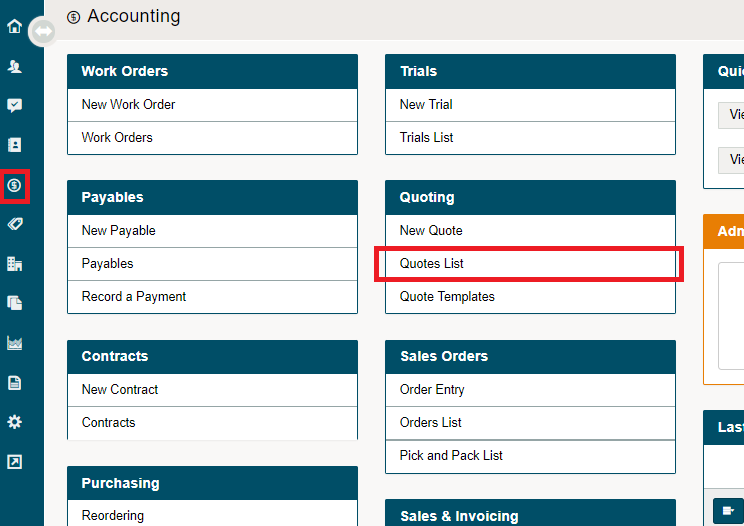
Click on the Accounting Icon on the Left-Hand Menu.
Click on Quotes List.
You will see a full list of Quotes that have been completed in your system. Click the blue edit button beside the Quote you wish to edit. Don't forget to hit save when you're done editing the Quote.
Comments
0 comments
Please sign in to leave a comment.