
Customers might want multiple quotes with different products or may select a different company to provide the products and services they sought.
In this case, you will want to "void" the quote.
Voided quotes will still show in a customers profile history and can be easily reactivated if the customer comes back at a later date an would like to purchase the products and services on the quote.
Steps:
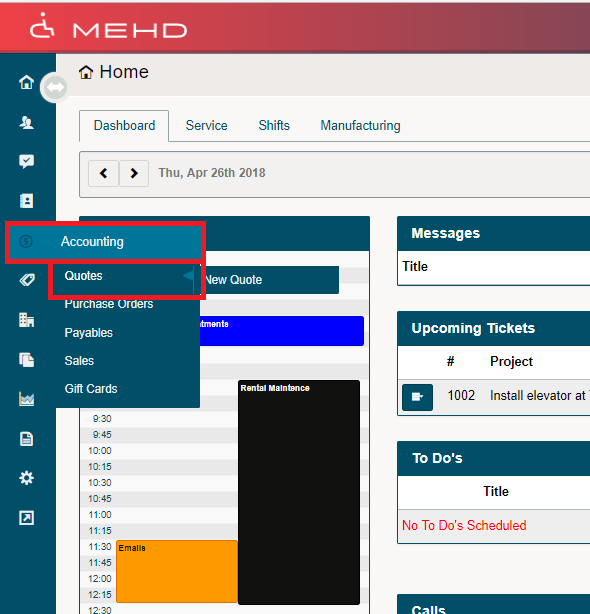
Hover over the Accounting Module. A drop-down list will appear, click on Quotes.
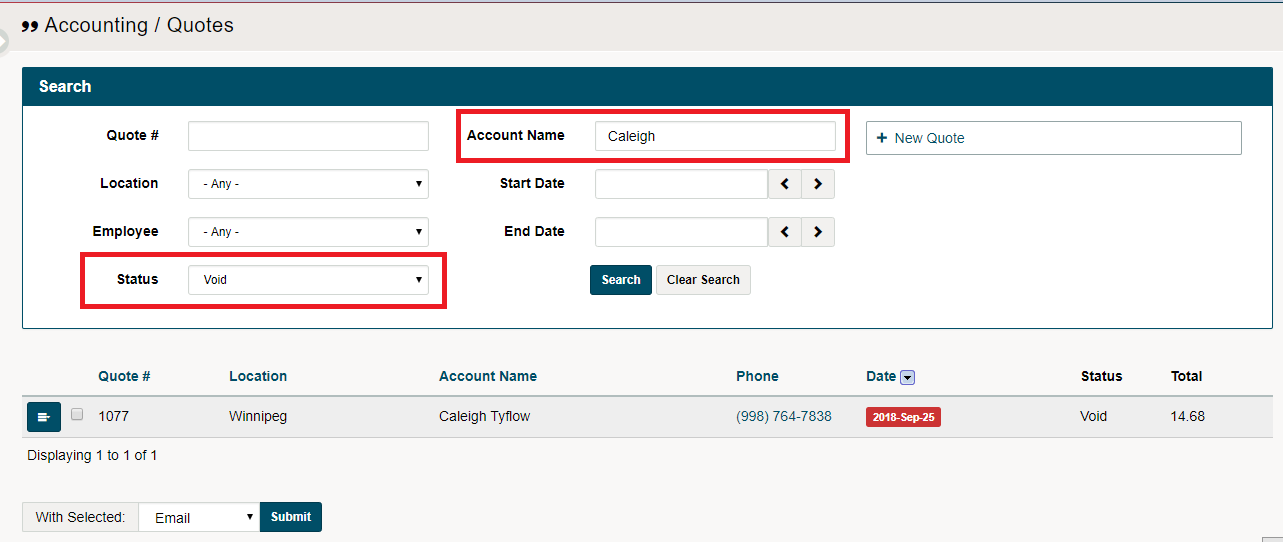
A list of quotes will appear. Type in the customer's name and change the status of the Quotes list to "Void" then click on the Search button. This will retrieve any voided quotes that a customer has had.
Click on the blue menu button beside the voided quote to:
- Copy Quote
- View Quote
- View Customers Account
- Reactivate Quote
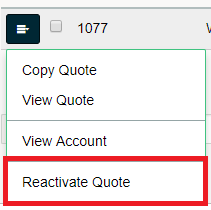
Reactivating a quote will change its status to 'Active'. In this case, use the search bar at the top of quotes to find the active quote.
Comments
0 comments
Please sign in to leave a comment.