
Simply email quotes directly from your GO Business / MEHD system to your client without leaving the MEHD system.
Actions:
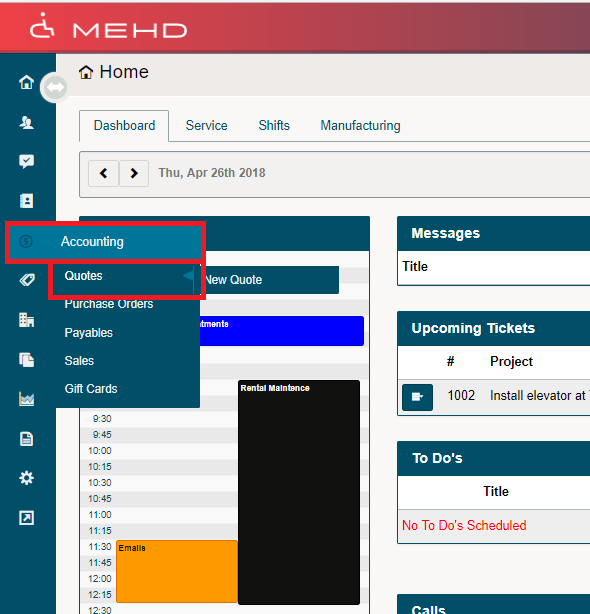
1. Hover over the Accounting Module. A drop-down list will appear, click on Quotes.
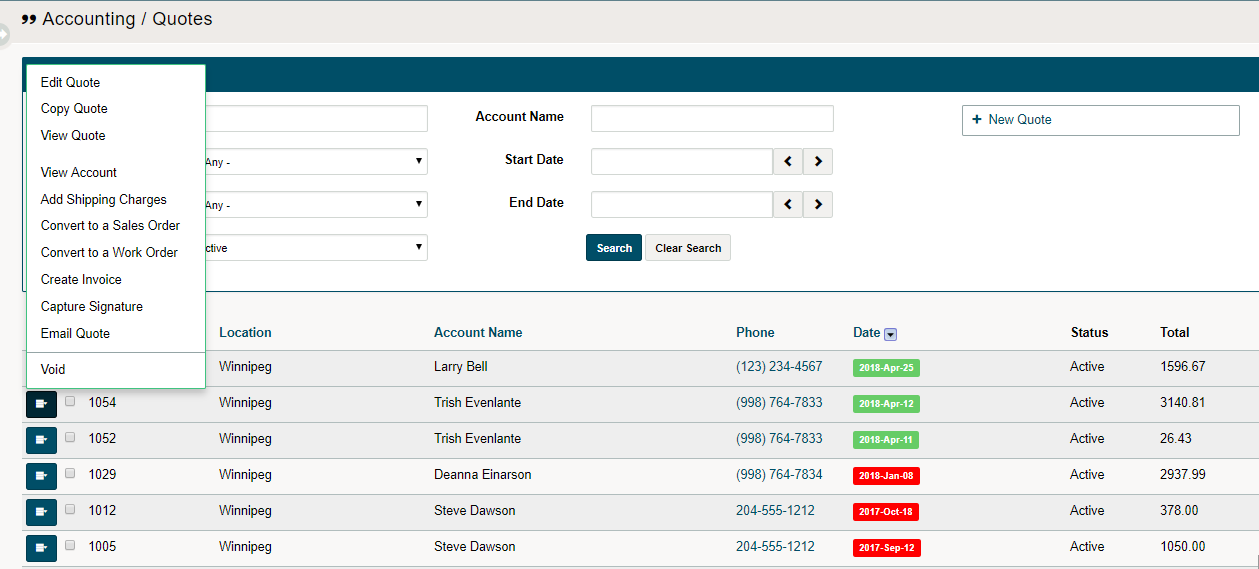
2. A new screen with all outstanding quotes will appear. To void the selected quote click on the Edit button beside the quote.
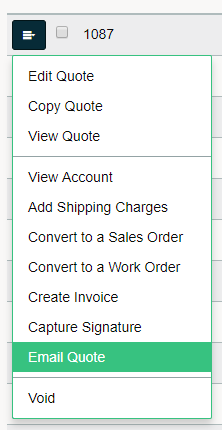
3. To email, the quote selected, click on 'Email Quote'.
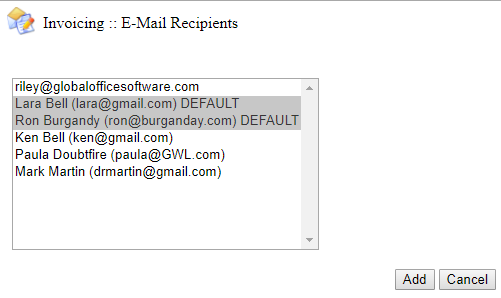
4. A new window will appear. Select the contact(s) in which you would like to email the quote to. If you would like to send to multiple direct recipients, use the (Ctrl) key and click on the name of the contact(s).
5. Fill out the fields of (CC, BCC, Subject, Body, and Priority). The quote will automatically be attached to the email.
- If you need to attach a document that has been saved in the customer's profile, simply check off the box next to the file name.
- If you cannot remember what is in the 'existing files', click on the name of the file as it will download to your local computer.
- Files can be sent as (PNG, JPEG, PDF, Word, PPT, XLS) format.

Comments
0 comments
Please sign in to leave a comment.