
Using 'Templates' can drastically save time and reduce the amount of errors staff may have with quotes.
Example
Jim's Plumbing & Renovations often renovate bathrooms. To speed up the renovation process Jim only offers (3) bathroom packages.
1 - Bronze - New toilet
2 - (Silver - New toilet, and sink
3 - Gold - New toilet, sink, and bathtub
Jim uses the same products for this renovation each time, he sets up the Quote Template in his GO Business / MEHD system to reduce the amount of time searching for the products needed in his quotes.
How to Create A Quote Template
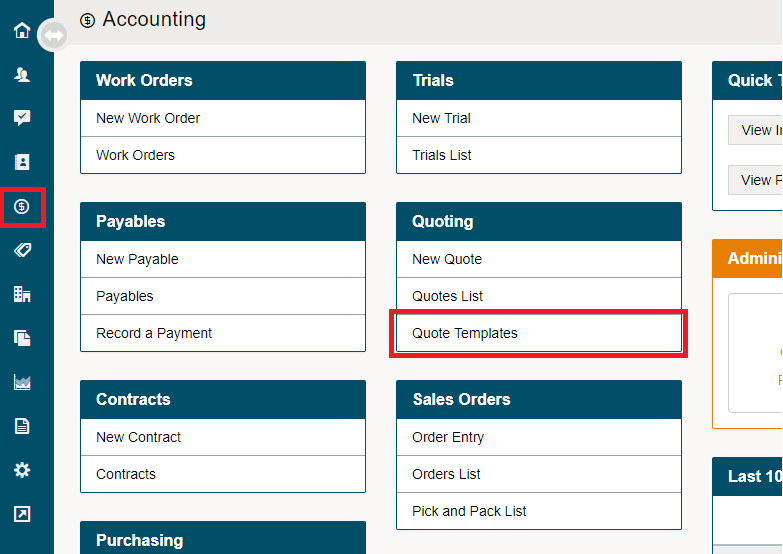
Go to Accounting
Under the Quoting Heading, choose Quote Templates
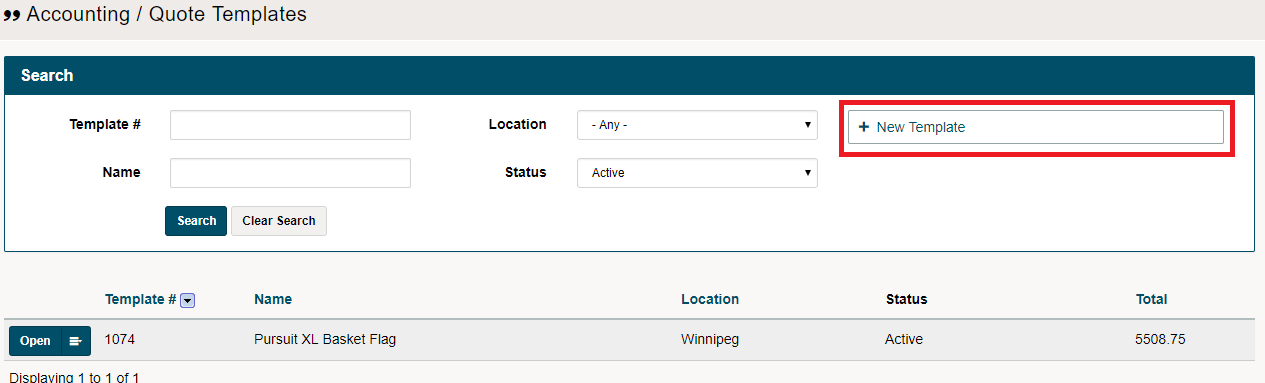
Choose New Quote Template
Add the items you would like in the template
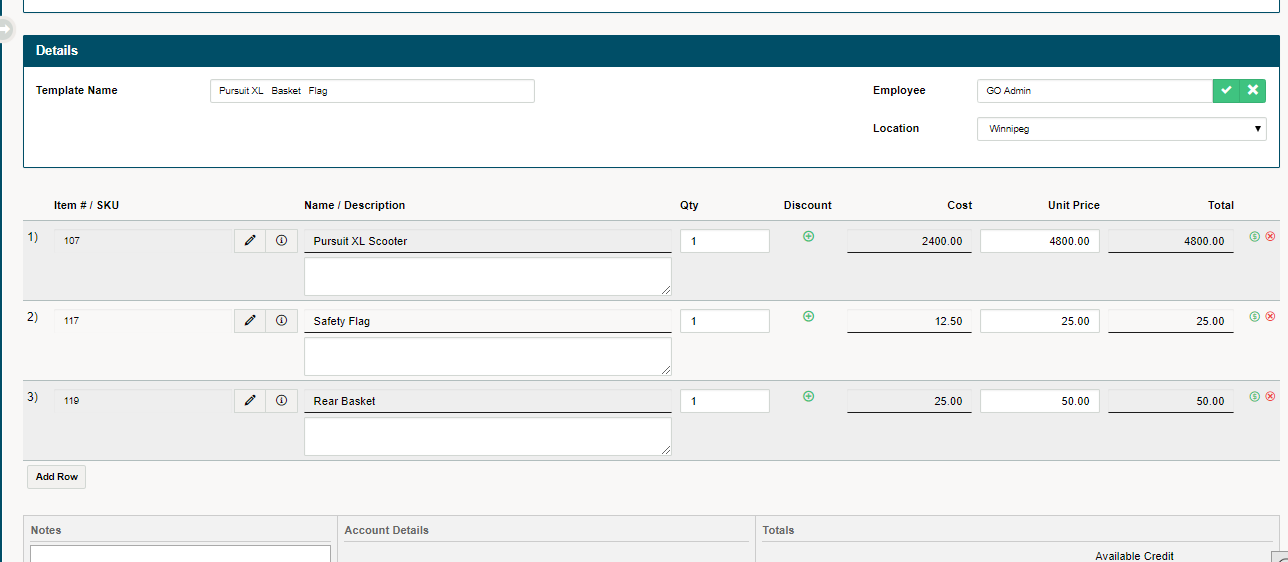
The line items can be dragged and dropped if you want to change the order on the page
Choose Save. You have now created a Quote Template that can be used in the future.
Click Here to learn How to create a New Quote from Quote Template
Comments
0 comments
Please sign in to leave a comment.